mirror of
https://github.com/coderit666/CNote.git
synced 2025-12-07 01:44:42 +08:00

81 lines
4.9 KiB
Markdown
81 lines
4.9 KiB
Markdown
## 什么是Qt Creator ?
|
||
|
||
- Qt Creator 是一款新的轻量级[集成开发环境](https://baike.baidu.com/item/%E9%9B%86%E6%88%90%E5%BC%80%E5%8F%91%E7%8E%AF%E5%A2%83)(IDE)。它能够跨平台运行,支持的系统包括 Windows、Linux(32 位及 64 位)以及 Mac OS X
|
||
- Qt Creator 的设计目标是使开发人员能够利用 Qt 这个应用程序框架更加快速及轻易的完成开发任务
|
||
- 开源免费, 简单易用, 能够满足学习需求
|
||
|
||
> 集成开发环境(IDE,Integrated Development Environment )是用于提供程序开发环境的应用程序,一般包括代码[编辑器](https://baike.baidu.com/item/%E7%BC%96%E8%BE%91%E5%99%A8)、[编译器](https://baike.baidu.com/item/%E7%BC%96%E8%AF%91%E5%99%A8)、[调试](https://baike.baidu.com/item/%E8%B0%83%E8%AF%95)器和[图形用户界面](https://baike.baidu.com/item/%E5%9B%BE%E5%BD%A2%E7%94%A8%E6%88%B7%E7%95%8C%E9%9D%A2)等工具。集成了代码编写功能、分析功能、[编译](https://baike.baidu.com/item/%E7%BC%96%E8%AF%91)功能、调试功能等一体化的开发软件服务套。
|
||
|
||
---
|
||
|
||
## Qt Creator安装
|
||
|
||
**Qt Creator 官网**:http://download.qt.io/
|
||
|
||
- **切记囫囵吞枣, 不要纠结里面的东西都是什么含义, 初学者安装成功就是一种成功**
|
||
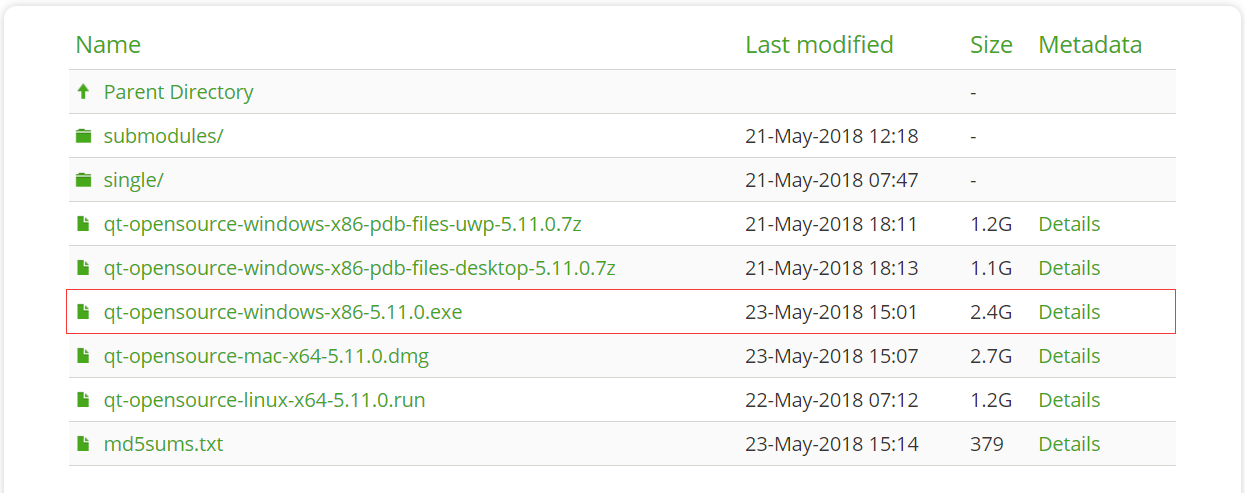
- **下载Qt Creator离线安装包:**
|
||
- **版本和代码编辑器任意选择都可以**
|
||
- **qt软件下载链接**:https://pan.baidu.com/s/1gx0hNDBJkA2gx5wF1Jx34w 提取码:0fg9
|
||
|
||
|
||
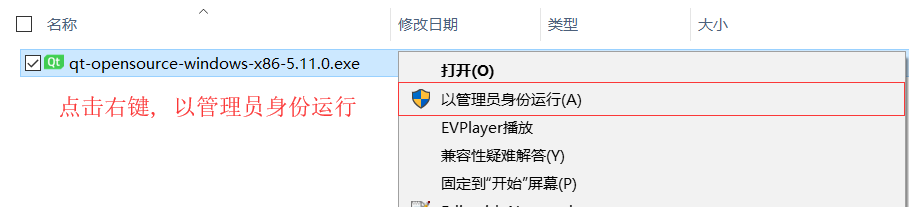
- **以管理身份运行离线安装包**
|
||
|
||
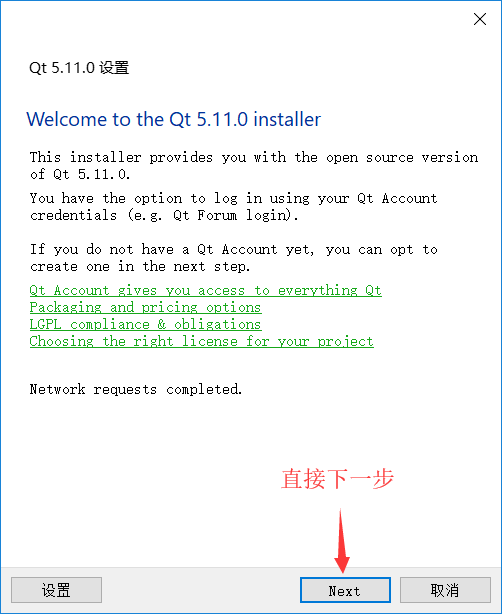
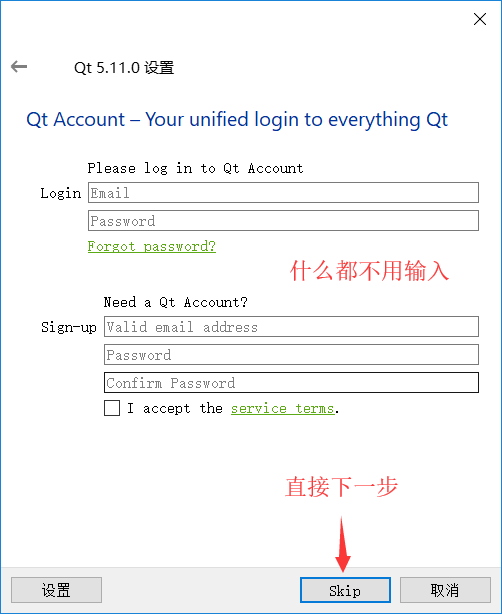
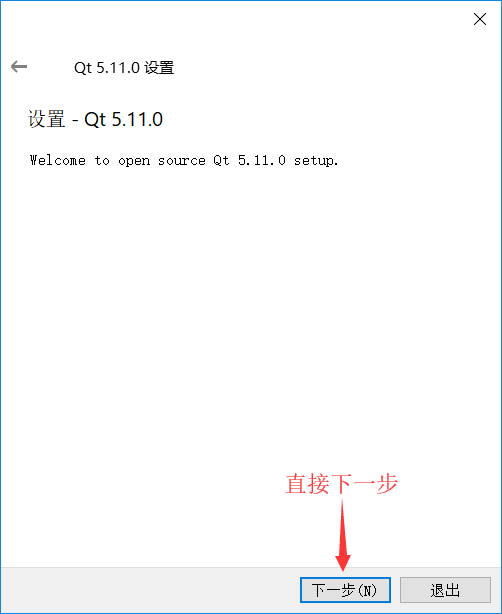
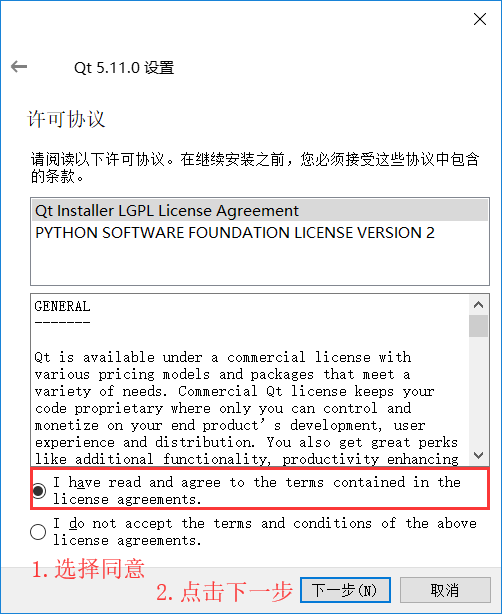
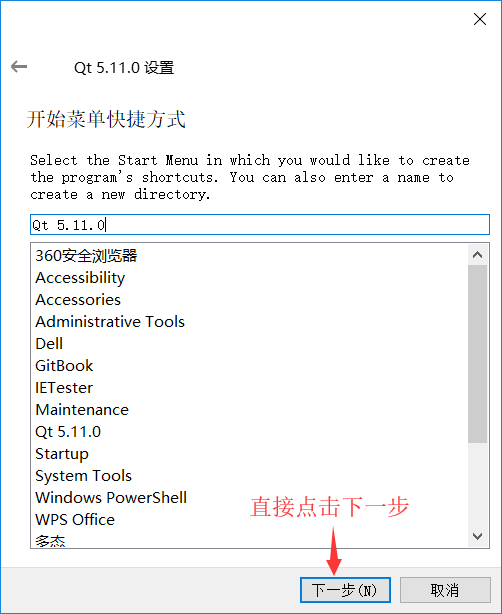
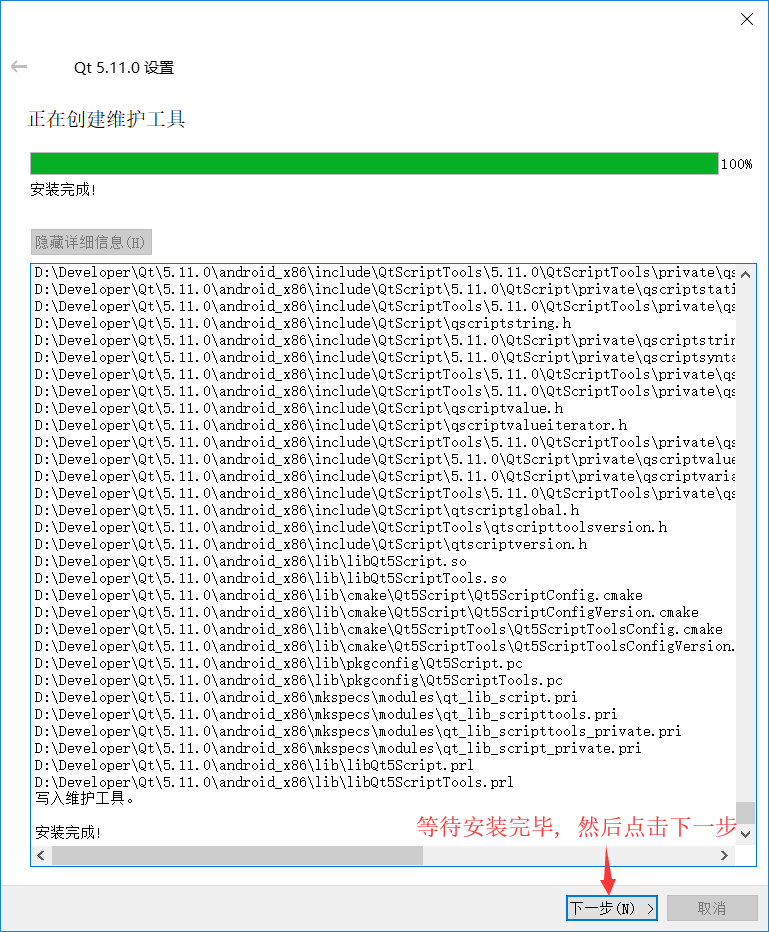
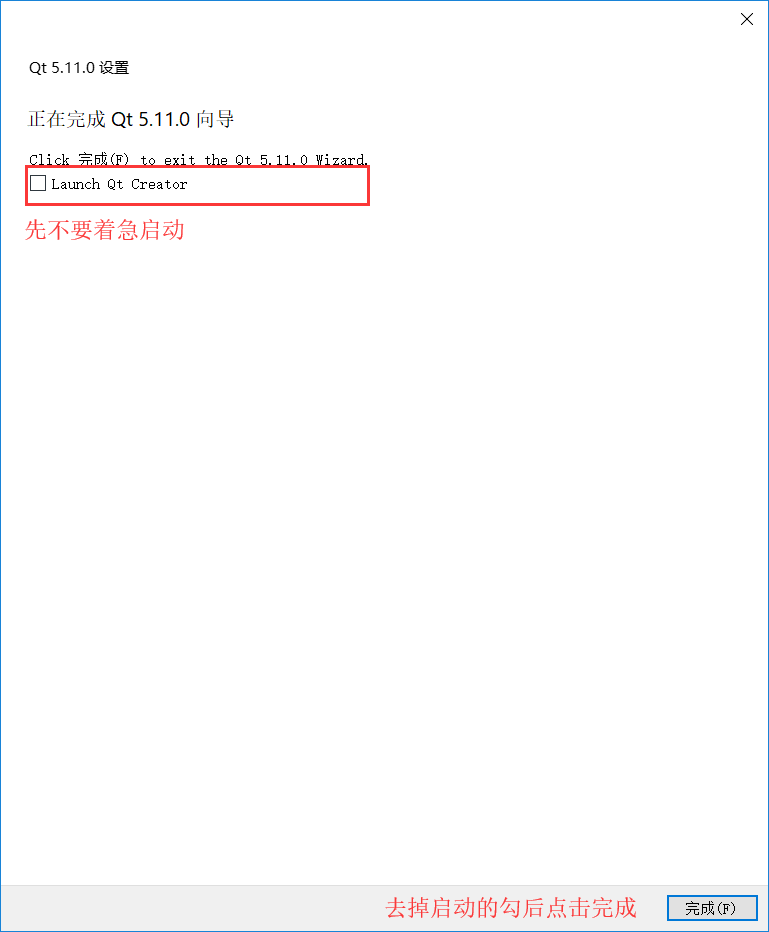
- **下一步,下一步,下一步,等待ing...**
|
||
|
||
|
||
|
||
|
||
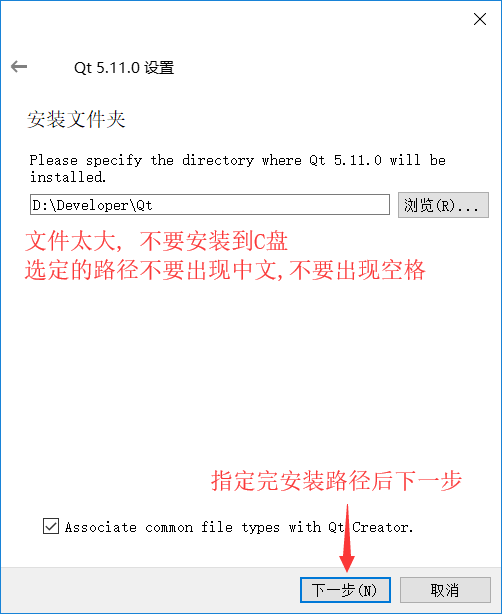
- **注意安装路径中最好不要出现中文**
|
||
|
||
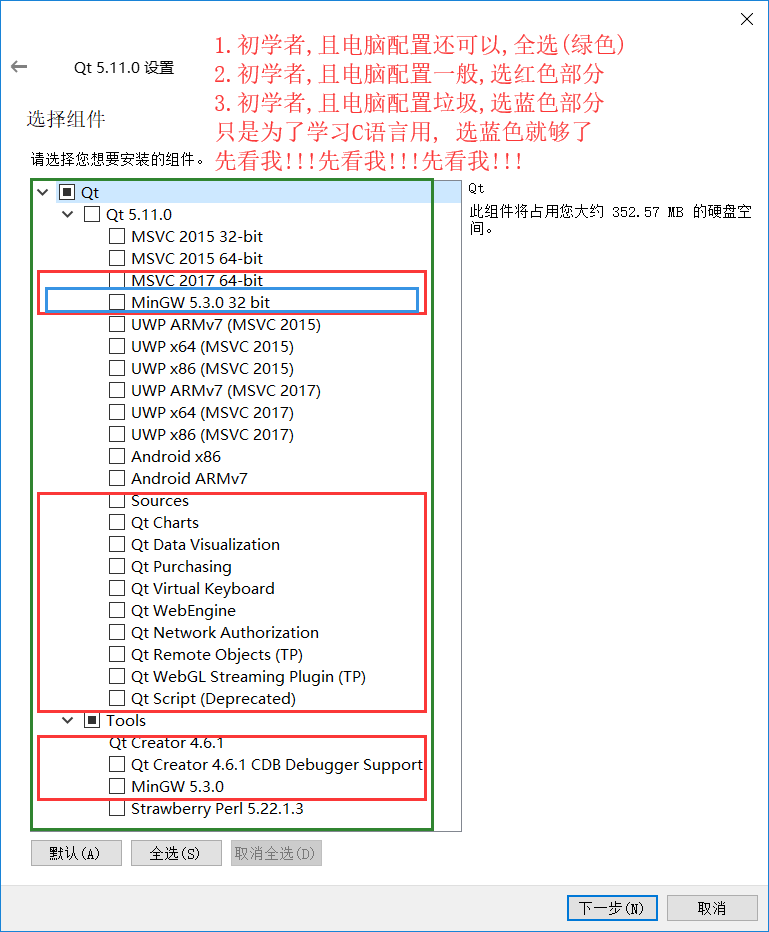
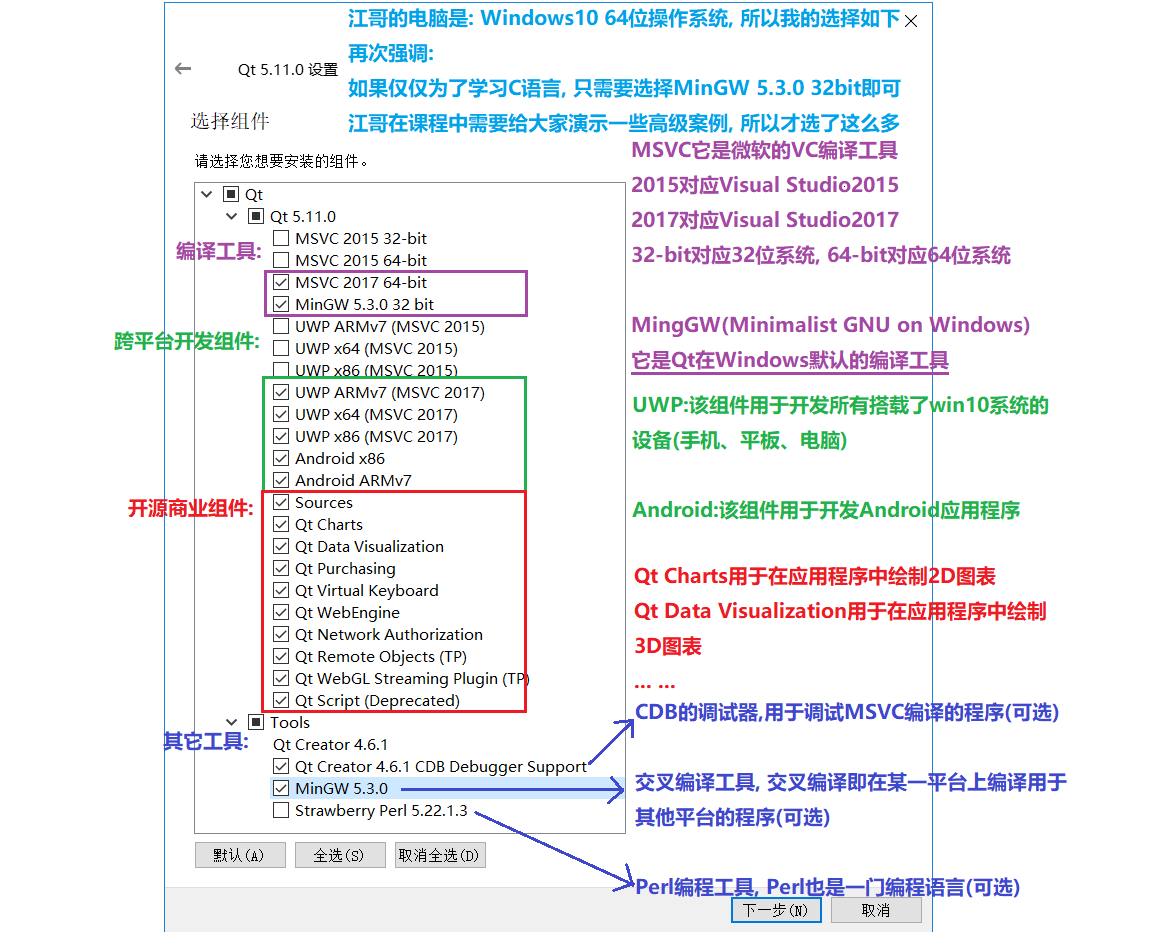
- **对于初学者而言全选是最简单的方式(重点!!!)**
|
||
|
||
|
||
|
||
|
||
|
||
|
||
|
||
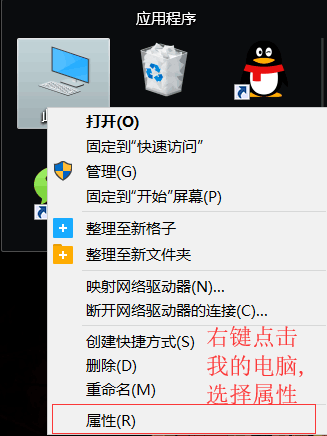
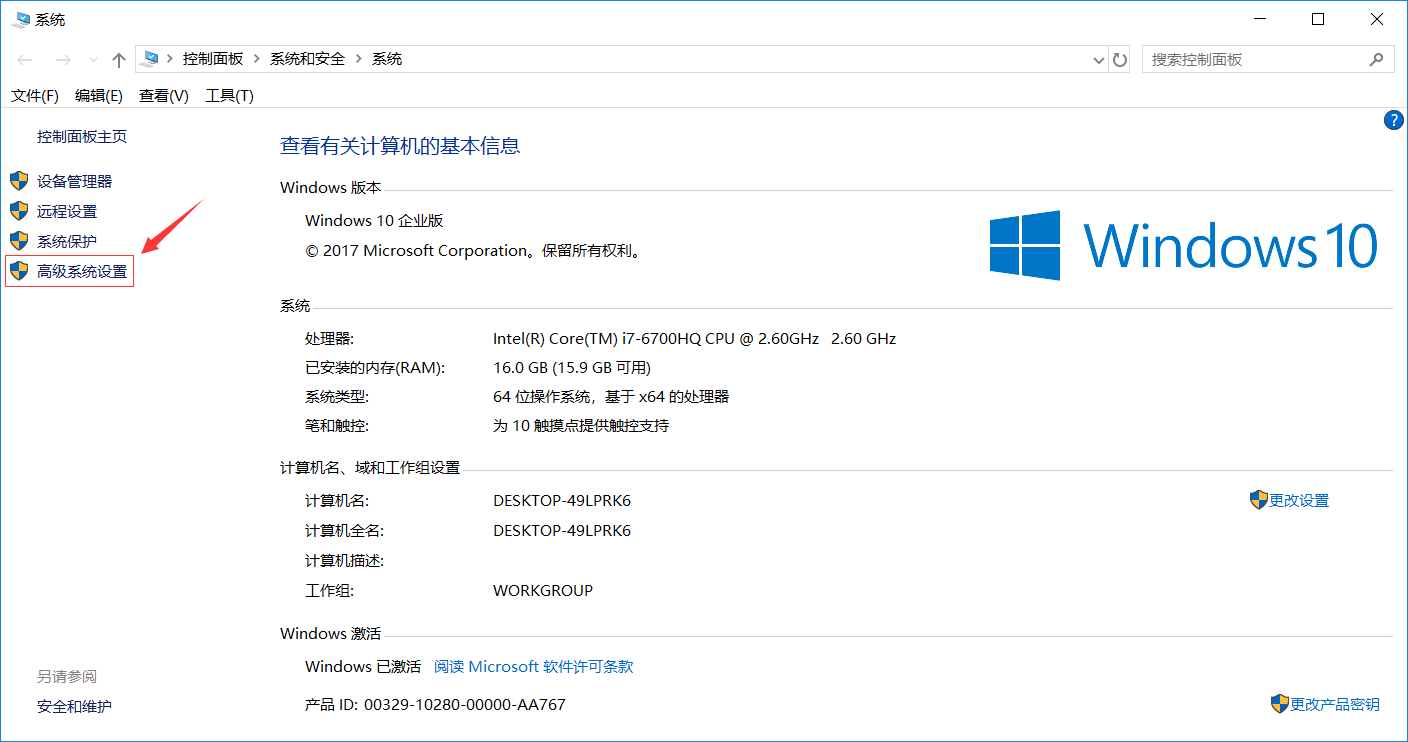
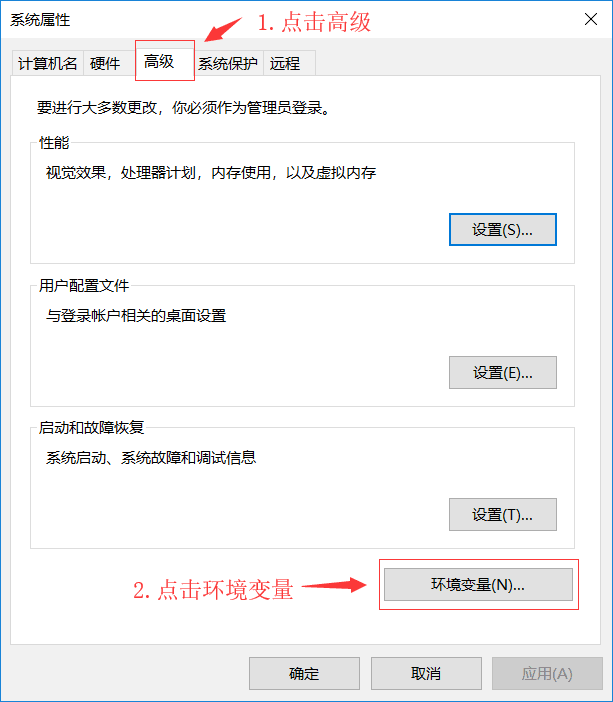
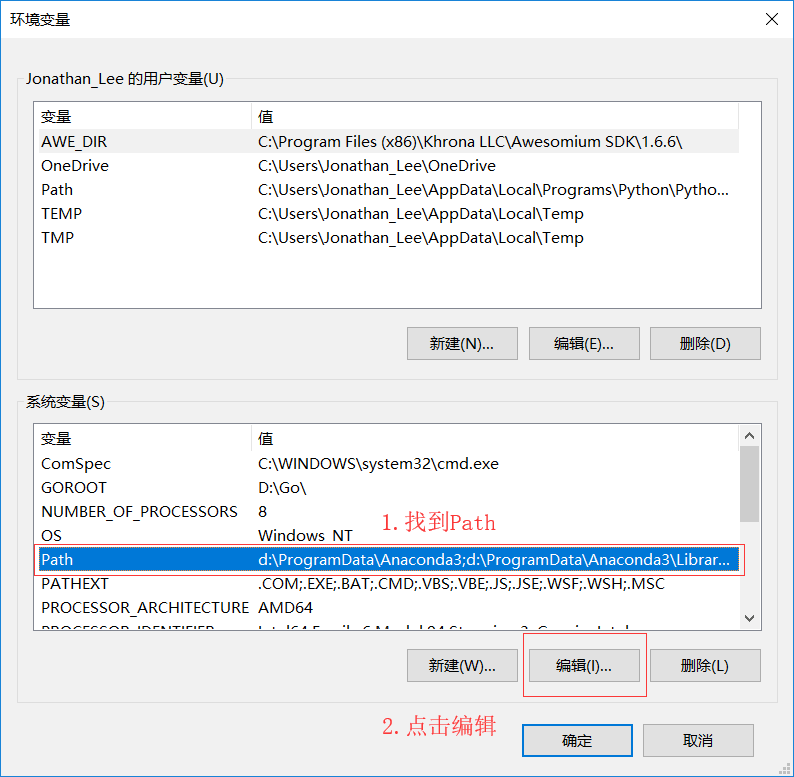
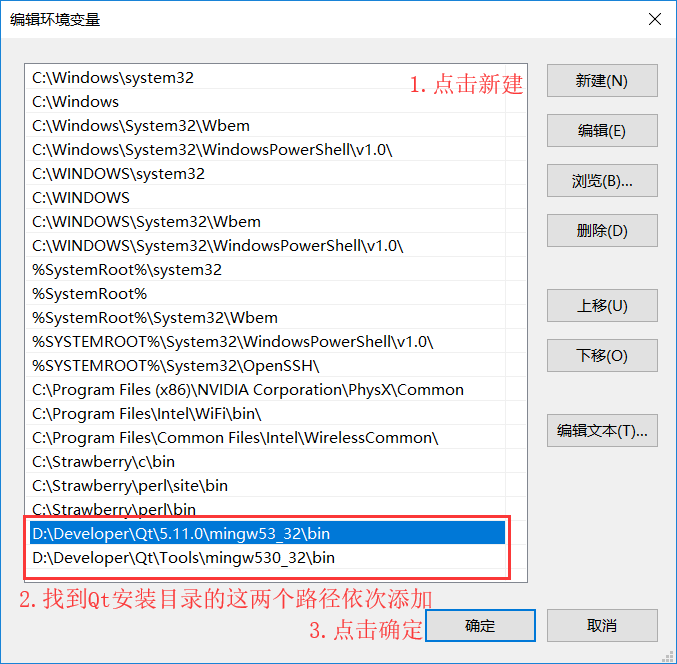
- **配置Qt Creator开发环境变量**
|
||
|
||
|
||
|
||
|
||
|
||
|
||
> 你的安装路径\5.11.0\mingw53_32\bin
|
||
> 你的安装路径\Tools\mingw530_32\bin
|
||
|
||
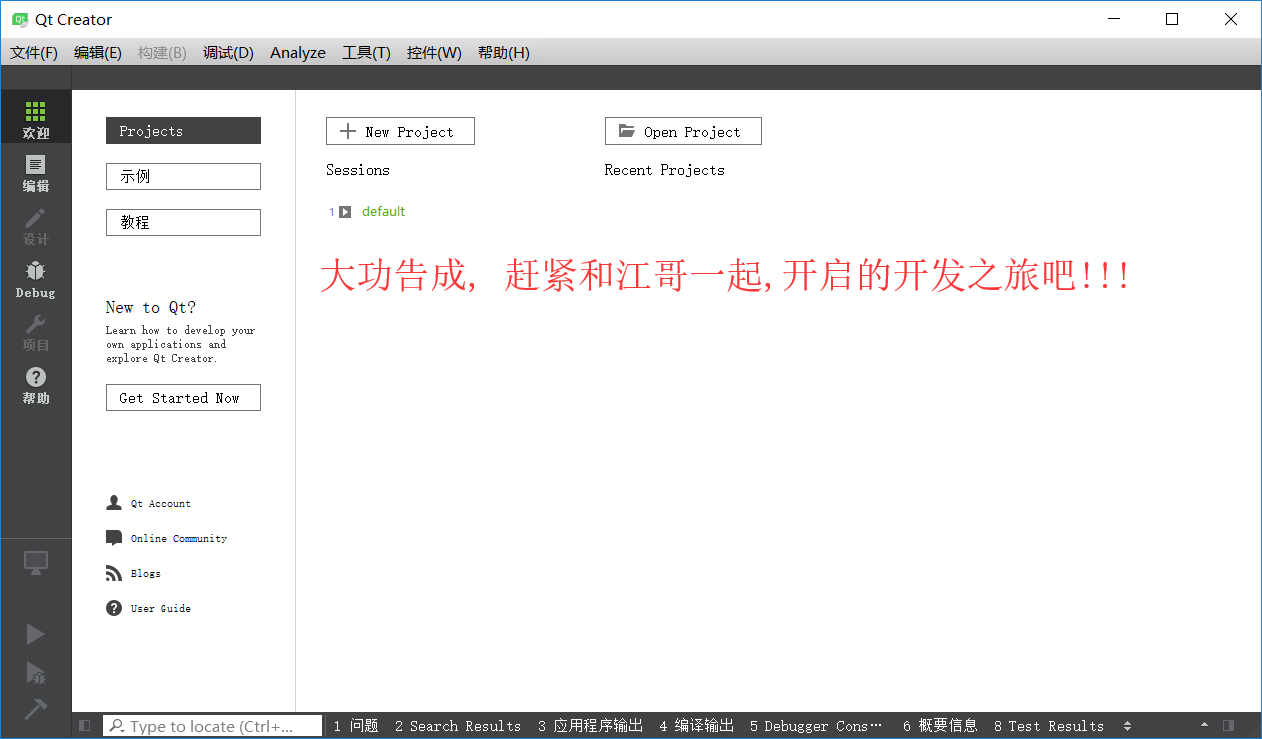
- **启动安装好的Qt Creator**
|
||
|
||
|
||
---
|
||
|
||
- **非全选安装到此为止, 全选安装继续往下看**
|
||
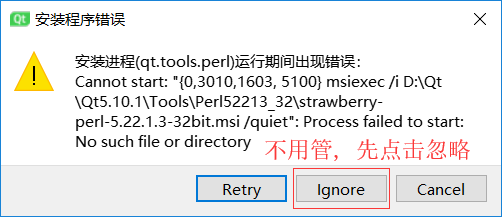
**出现这个错误, 忽略这个错误即可**
|
||
|
||
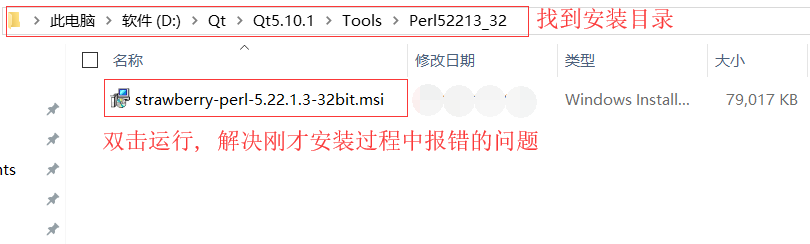
- **等待安装完毕之后解决刚才的错误**
|
||
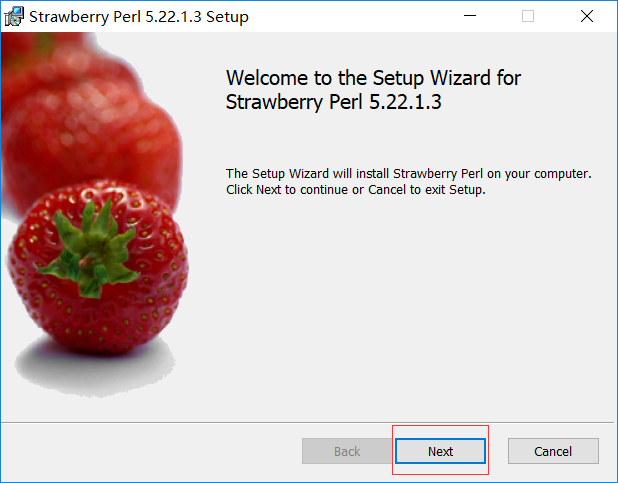
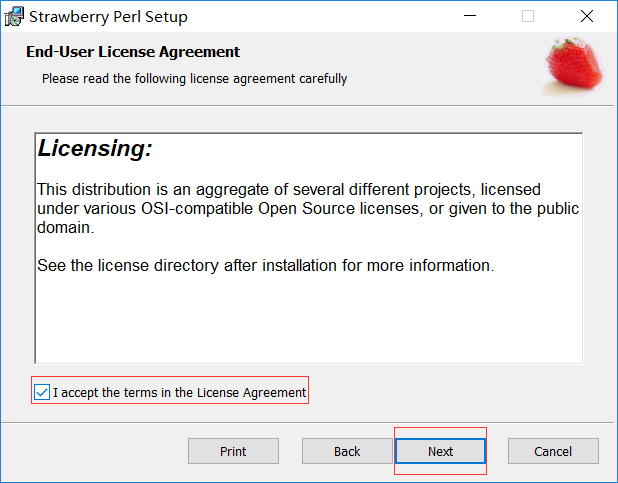
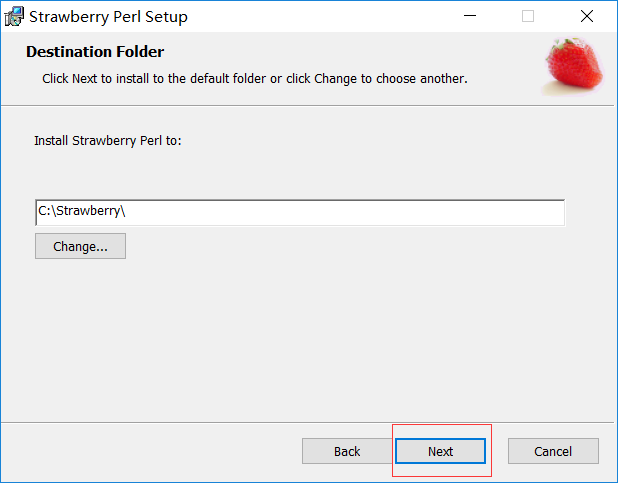
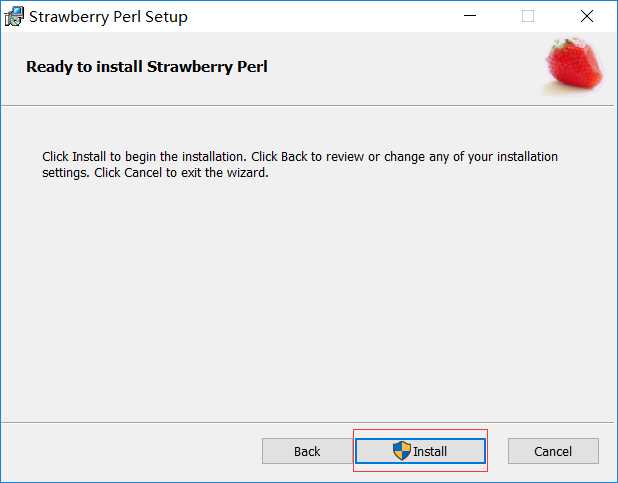
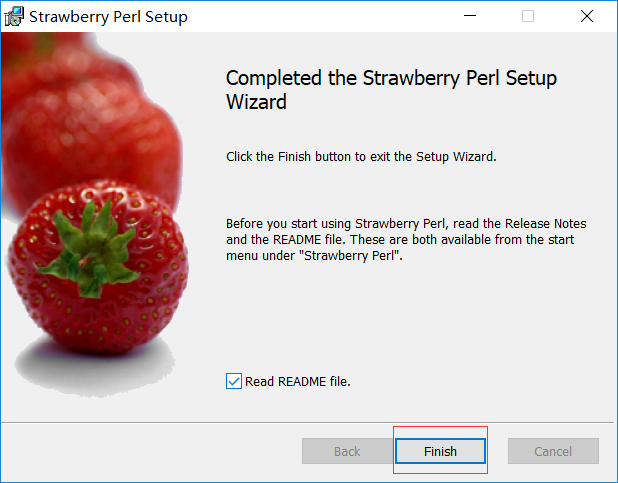
**找到安装目录下的strawberry.msi,双击运行**
|
||
|
||
|
||
|
||
|
||
|
||
|
||
|
||
|
||
|
||
|
||
## **无法安装问题**
|
||
|
||
注意:如果你的软件无法安装成功,请谷歌度娘解决,或者加我微信 **leader_fengy** 指导你正确安装。
|
||
|
||
- ## Qt Creator快捷键
|
||
|
||
- [Qt Creator Keyboard Shortcuts(Documentation)](http://doc.qt.io/qtcreator/creator-keyboard-shortcuts.html "Qt Creator Keyboard Shortcuts(Documentation)")
|
||
- [Qt Creator Keyboard Shortcuts(Wiki)](http://wiki.qt.io/Qt_Creator_Keyboard_Shortcuts "Qt Creator Keyboard Shortcuts(Wiki)")
|
||
|
||
|
||
最后,如果大家想要实时关注我们更新的文章以及分享的干货的话,可以扫描下方二维码关注我们的微信公众号“**代码情缘**”。
|
||
|
||

|